The best Linktree alternatives in 2026 (free and paid)
The best Linktree alternative depends on what you need. LinkMarquee is the cheapest way to sell with no platform fee ($9 a month on Pro) and it has a custom domain. Beacons is strong for creators who want email and a media kit. Stan Store is built for courses and coaching. Carrd is best if you want a tiny website instead of a link page.
Key points
- Linktree costs $15 a month (or $12 a month billed yearly) before you can sell with 0% fees.
- Linktree does not offer custom domains on any plan, according to its own help center.
- Beacons and Stan Store charge $29 to $30 a month for their no-fee selling plans.
- LinkMarquee Pro is $9 a month with 0% seller fees and 1 custom domain.
Linktree made the "link in bio" popular. Linktree says more than 70 million people use it. But it is not the only choice, and for a lot of people it is not the best one.
We looked at the five tools people switch to most. We checked each price on the company's own site in October 2026. Here is what we found, in plain words.
How we picked these Linktree competitors
We looked at four things that matter most when you choose a bio link tool:
- Price. What you pay each month, and what the free plan really gives you.
- Seller fees. How much of each sale the tool keeps.
- Custom domains. Whether you can use your own web address.
- Extra tools. Things like bookings, email signups and stats.
We did not count small things like the number of fonts. Every tool on this list looks good on a phone.
The cost to sell with no platform fee
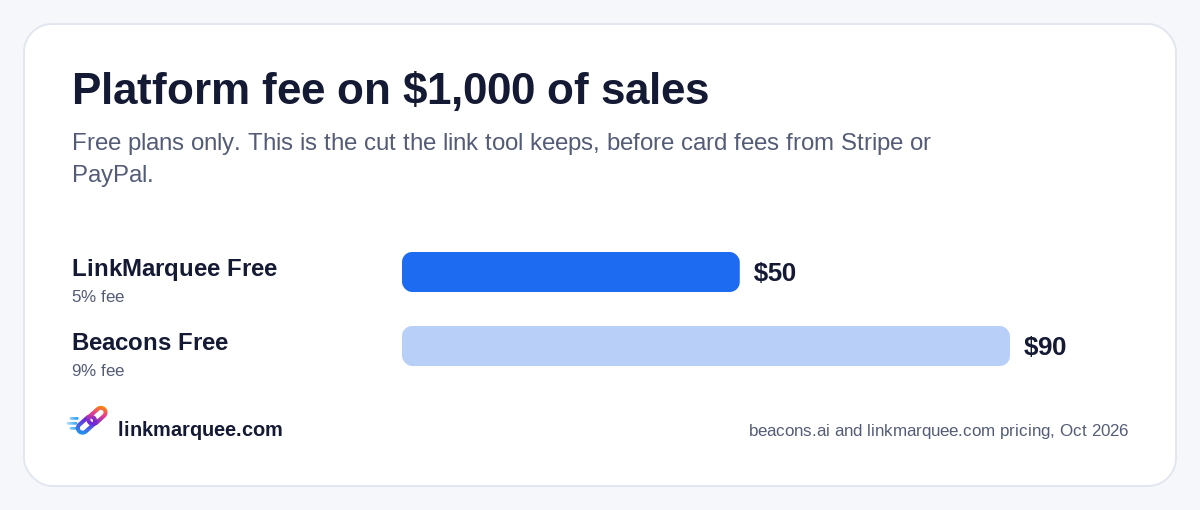
If you sell anything from your bio, the seller fee matters a lot. A 9% fee on $1,000 of sales is $90 gone. So we checked the cheapest plan on each tool that takes 0% of your sales.
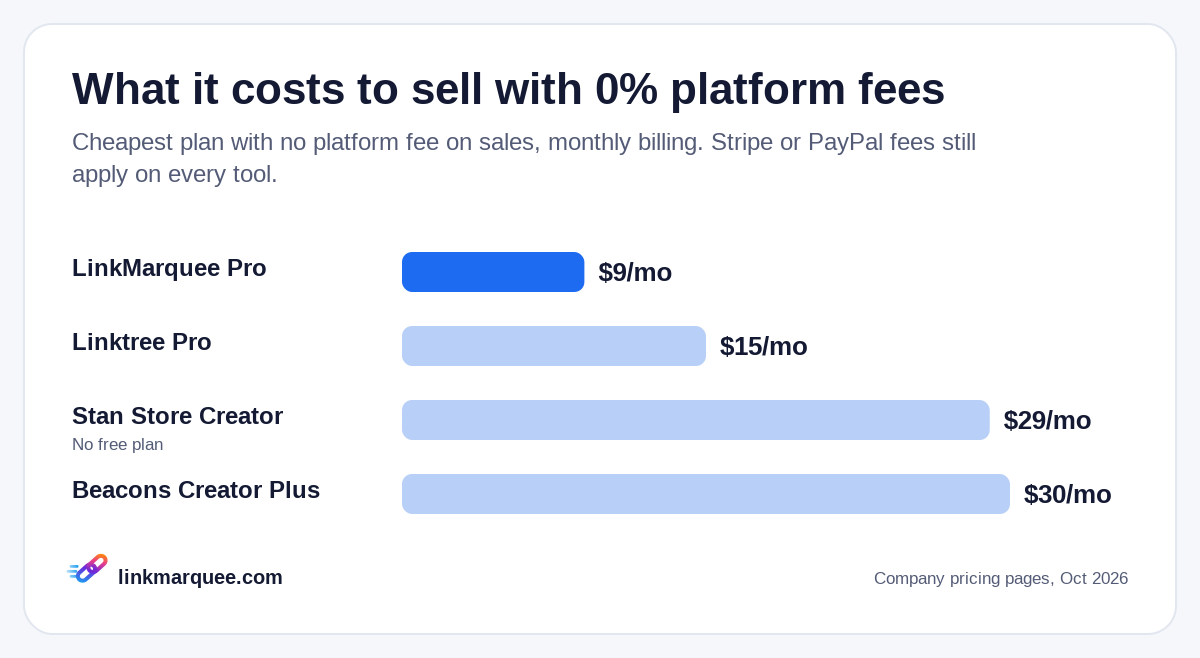
Here is the same data in a table, with the yearly price too:
| Tool and plan | Monthly price | Billed yearly | Platform fee on sales |
|---|---|---|---|
| LinkMarquee Pro | $9 | $7.50 a month ($90 a year) | 0% |
| Linktree Pro | $15 | $12 a month | 0% |
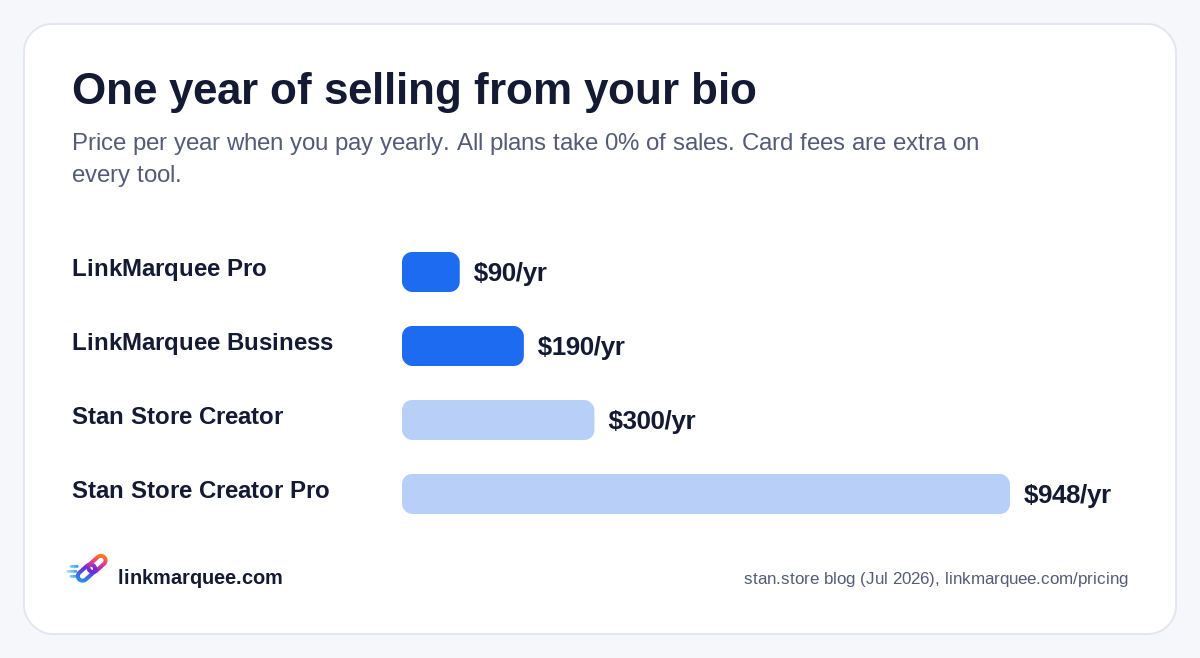
| Stan Store Creator | $29 | $25 a month ($300 a year) | 0% |
| Beacons Creator Plus | $30 | $25 a month ($300 a year) | 0% |
Every tool still passes on the card fee from Stripe or PayPal. In the US, Stripe charges 2.9% plus 30 cents for a normal card sale.
1. LinkMarquee: best free Linktree alternative for selling and bookings
LinkMarquee is our tool, so take this part with that in mind. We built it because we wanted one page that does the jobs other tools split up.
What you get for free: unlimited links, video and music embeds, tips and sales, booking and quote pop-ups, email signups and 12 free themes. You can also paste your old Linktree, Beacons or Stan link and we copy your links over.
What Pro adds for $9 a month: no LinkMarquee badge, 0% fee on sales, premium themes, ad pixels and 1 custom domain.
Best for: creators who sell, and local businesses that want bookings.
Not great for: people who want a full online course platform. Use a course tool for that and link to it.
2. Linktree: the best-known option
Linktree is simple and well known. Its plans in October 2026:
- Free: unlimited basic links and email and phone signups.
- Starter: $8 a month, or $6 billed yearly. Adds unlimited featured links and basic stats.
- Pro: $15 a month, or $12 billed yearly. Removes the Linktree logo and lets you sell with 0% fees.
- Premium: $35 a month, or $30 billed yearly. Adds all-time stats, data export and scheduling.
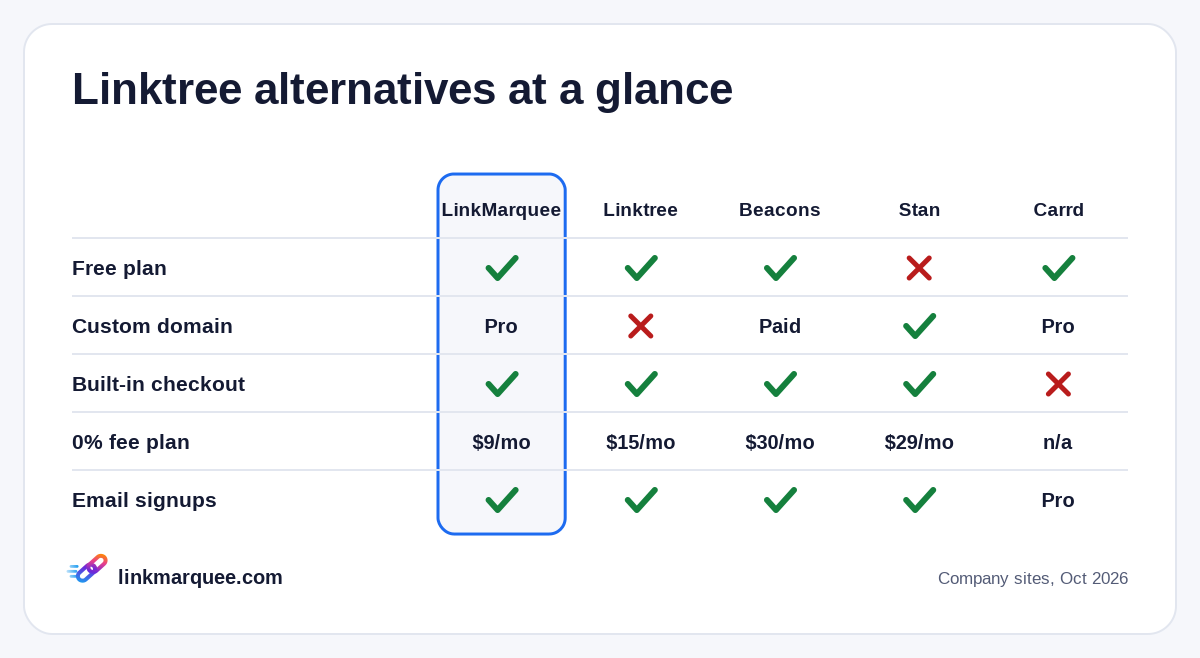
One big gap: Linktree's own help center says it does not offer custom domains. Your link will always start with linktr.ee.
Best for: people who want the name everyone knows.
3. Beacons: best for creators who want email and a media kit
Beacons has a free plan with a store, media kit and email tools. The catch is the fee. Its pricing page lists a 9% seller fee on the free plan. To get 0% fees you need Creator Plus at $30 a month.
Best for: creators who work with brands and want everything in one app.
4. Stan Store: best for courses and coaching
Stan Store is built for selling. It has courses, bookings, memberships and an email tool. Stan takes 0% of your sales.
There is no free plan. Creator costs $29 a month and Creator Pro costs $99 a month, after a 14 day free trial.
Best for: coaches and course sellers who make steady sales.
5. Carrd: best if you want a tiny website
Carrd is not really a link page. It builds simple one-page websites. The free plan lets you make 3 sites with Carrd branding.
Pro plans are paid yearly. Pro Standard starts at $19 a year and adds custom domains, forms and payment forms. Carrd has no checkout of its own, so you connect Stripe or PayPal.
Best for: people who want a cheap, simple website and do not mind building it.
6. Later Link in Bio: best if you already use Later
Later's link page is not sold by itself. It comes with Later's social media plans, which start at $18.75 a month billed yearly. There is also a free version with a Later banner.
Best for: brands that already plan their posts in Later.
Which Linktree alternative should you pick?
Ask yourself one question: what do you want people to do after they tap your link?
- Buy something: pick a tool with 0% seller fees. LinkMarquee Pro is the lowest price we found.
- Book a call or visit: pick a tool with booking built in, like LinkMarquee or Stan Store.
- Read your newsletter: Beacons and LinkMarquee both collect emails for free.
- Learn about your business: a tiny Carrd site may be all you need.
Make your link in bio in two minutes
Free forever, with unlimited links, bookings, tips and email signups. No credit card needed.
Claim your linkCommon questions
What is the best free alternative to Linktree?
For most people, it is a tool that gives you unlimited links, email signups and selling on the free plan. LinkMarquee and Beacons both do this. LinkMarquee charges a 5% fee on free plan sales, and Beacons lists a 9% fee.
Can I use my own domain with Linktree?
No. Linktree says it does not offer custom domains on any plan. Tools like LinkMarquee (Pro), Beacons (paid plans), Stan Store and Carrd (Pro Standard) let you use your own web address.
Is it hard to switch from Linktree?
No. With LinkMarquee you paste your Linktree link and we copy your links, title and social profiles. Then you swap the link in your bio. It takes a few minutes.
Do Linktree alternatives charge fees on sales?
Some do. Free plans often keep a small cut of each sale. Paid plans on Linktree, Beacons, Stan Store and LinkMarquee take 0%. Card fees from Stripe or PayPal still apply.
Keep reading
 Comparisons
Linktree vs Beacons: which one is better for you?
Linktree vs Beacons, side by side. We compare seller fees, prices, email tools and custom domains, and show a third option that costs less to sell.
 Comparisons
A cheaper Stan Store alternative for selling from your bio
Stan Store costs $29 to $99 a month with no free plan. See what you get, the yearly cost, and a cheaper way to sell downloads and book calls from your bio.
 How-to guides
21 link in bio ideas that get more clicks
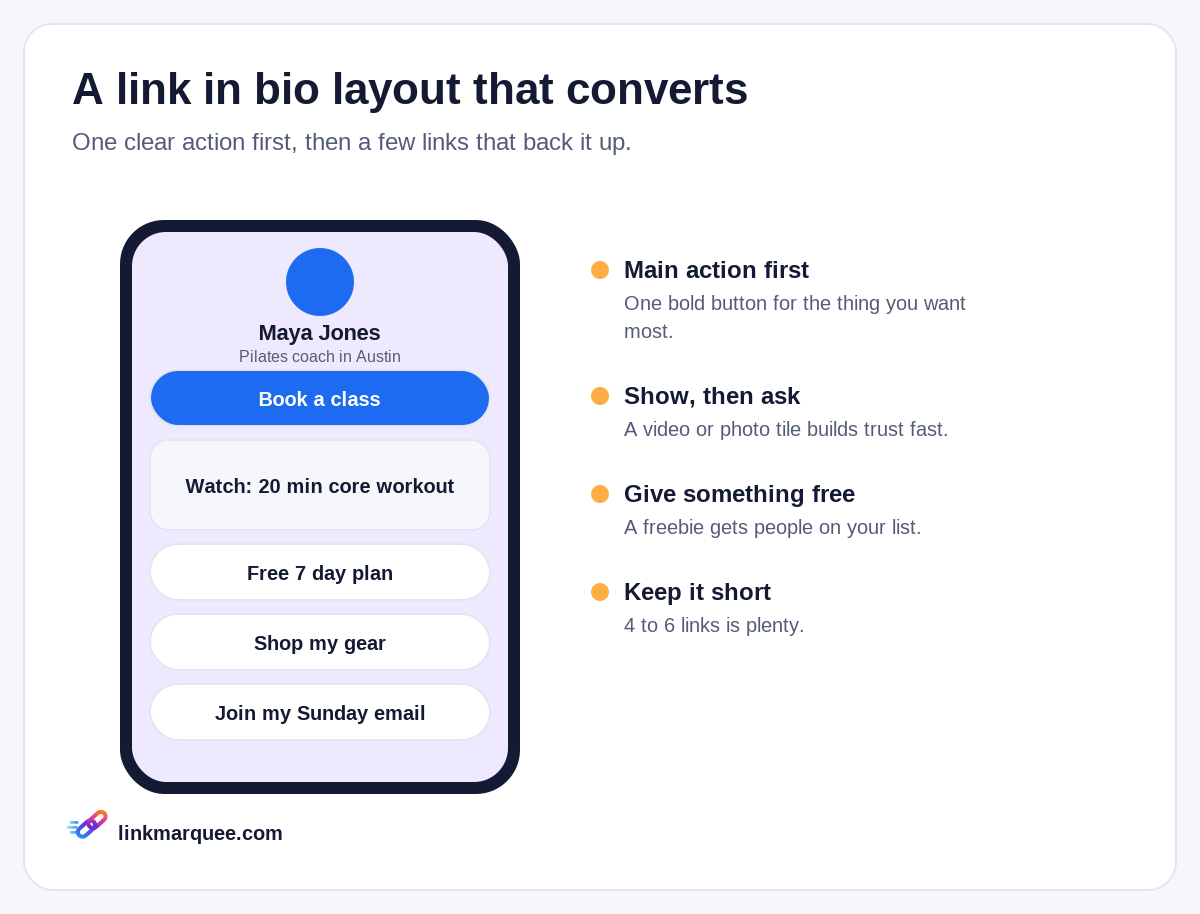
Not sure what to put in your link in bio? Here are 21 ideas for creators and small businesses, plus a simple layout that turns taps into sales and bookings.