How to sell digital downloads from your bio, without a store
Make a file people want, like a guide, template or preset pack. Add a download product to your link page, set a price, and connect Stripe so you get paid. When someone buys, they get the file by email right away. Then tell people about it in your posts and stories.
Key points
- You do not need a full online store to sell digital downloads.
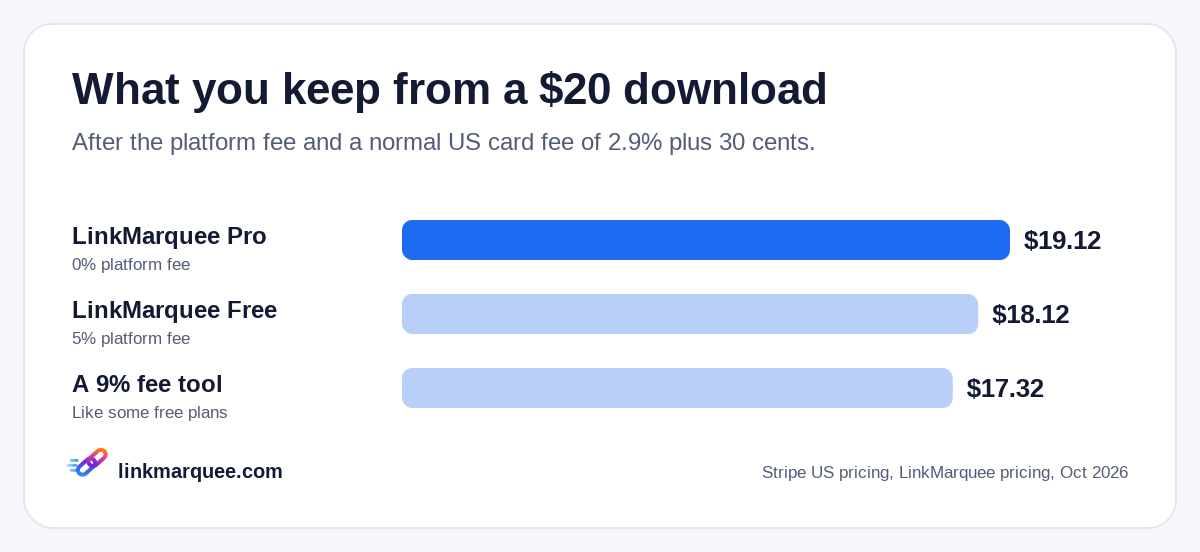
- On a $20 sale, you keep about $19.12 on LinkMarquee Pro after Stripe card fees.
- Start with one small product that solves one clear problem.
- Mention the product in your posts. People will not find it on their own.
Digital downloads are one of the easiest things to sell online. You make them once and sell them again and again. There is nothing to ship.
And you do not need a full online store. You can sell right from the link in your Instagram or TikTok bio.
What can you sell as a digital download?
Here are ideas that work well for beginners:
- Guides and e-books. A 10 page PDF on one topic you know well.
- Templates. Budget sheets, meal plans, Canva designs or resumes.
- Presets and filters. For photographers and content creators.
- Checklists. Packing lists, wedding plans or workout plans.
- Music and sounds. Beats, loops or sound packs.
- Printables. Planners, wall art and coloring pages.
How to sell digital downloads from your bio
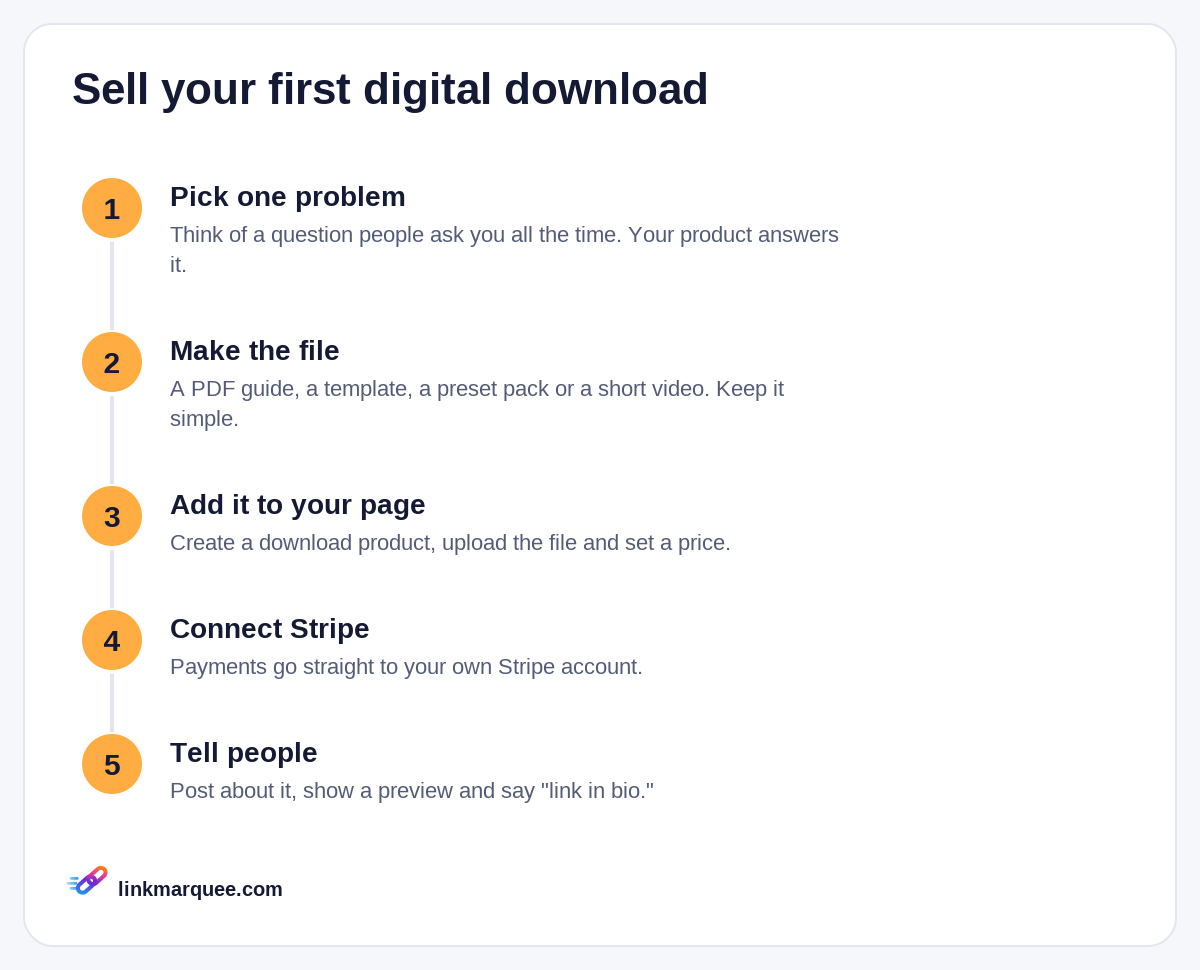
- Pick one problem. What do people always ask you? That is your product.
- Make the file. Use Google Docs, Canva or the app you already use. Save it as a PDF or zip file.
- Add a download product to your link page. Give it a clear name, a price and a short description.
- Connect Stripe. On LinkMarquee, money goes to your own Stripe account, and Stripe pays you out to your bank.
- Tell people about it. Show a preview in a post or story and say "link in bio."
When someone buys, they get a download link by email right away. You do not have to send anything by hand.
What you keep from each sale
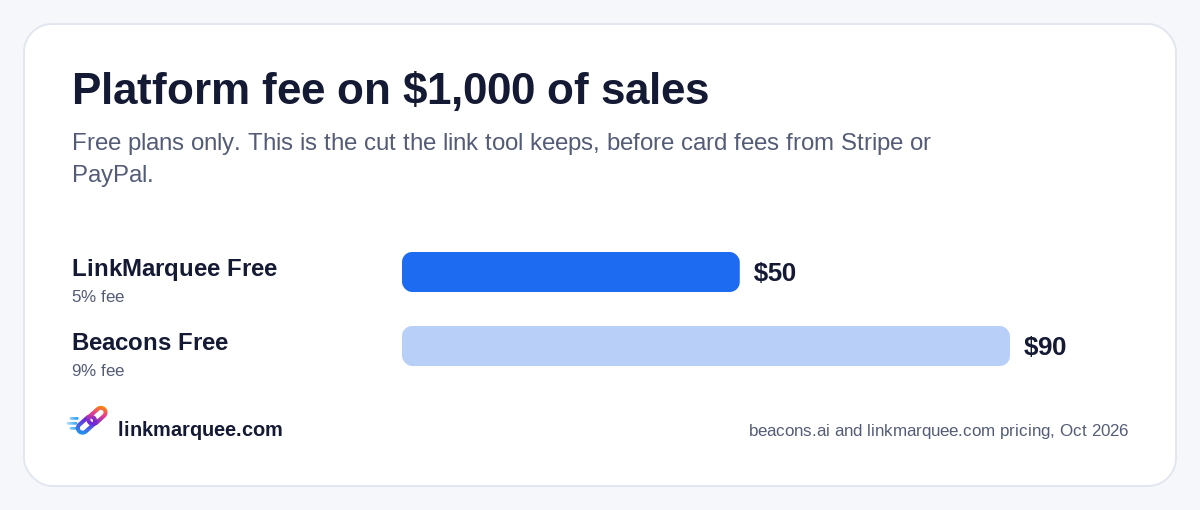
Two fees come out of each sale. The card fee goes to Stripe. The platform fee goes to the link tool you use.
| Plan | Platform fee | You keep from $20 |
|---|---|---|
| LinkMarquee Pro ($9 a month) | 0% | $19.12 |
| LinkMarquee Free | 5% | $18.12 |
| A tool with a 9% fee | 9% | $17.32 |
If you sell more than about $120 a month, Pro pays for itself compared to the free plan.
How to price your first digital product
- Small guides and checklists: $5 to $15.
- Template packs and preset packs: $15 to $40.
- In-depth guides or video lessons: $29 to $99.
Start a bit low. You can raise the price after your first few sales and reviews.
How to sell more
- Show the product in use. A quick video of the template or preset works better than a photo.
- Give a free sample. Offer one free page in trade for an email, then sell the full version.
- Pin it. Put the product near the top of your link page and pin a post about it.
- Ask buyers for a quote. Real words from happy buyers help the next person decide.
Sell your first download today
Upload a file, set a price and connect Stripe. Buyers get their download by email right away.
Claim your linkCommon questions
Can I sell digital products on Instagram without a website?
Yes. Add a download product to your link page and put that link in your bio. Buyers pay and get the file by email.
How do I get paid for digital downloads?
On LinkMarquee you connect your own Stripe account. Stripe sends the money to your bank on its normal payout schedule.
What digital products sell best?
Products that solve one clear problem, like a template, a checklist or a short guide. Start with what people already ask you about.
Do I need a business to sell digital products?
You can start as a person. Stripe will ask for some details to pay you. Check your local tax rules, since you may need to report the income.
Keep reading
 Comparisons
A cheaper Stan Store alternative for selling from your bio
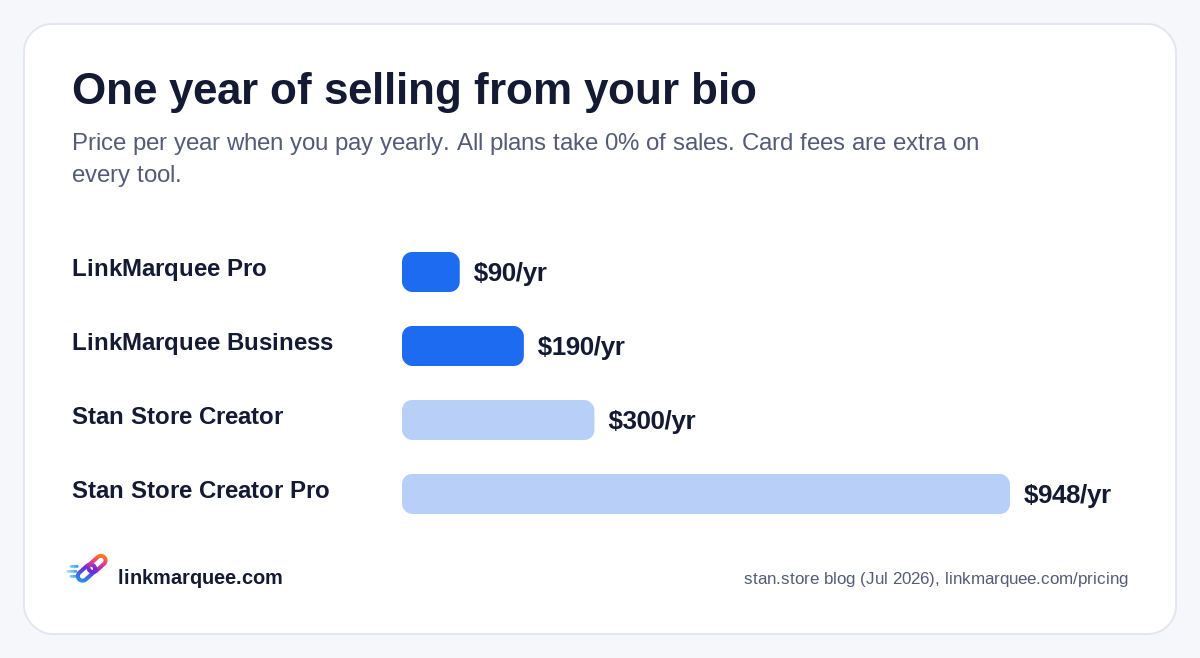
Stan Store costs $29 to $99 a month with no free plan. See what you get, the yearly cost, and a cheaper way to sell downloads and book calls from your bio.
 How-to guides
21 link in bio ideas that get more clicks
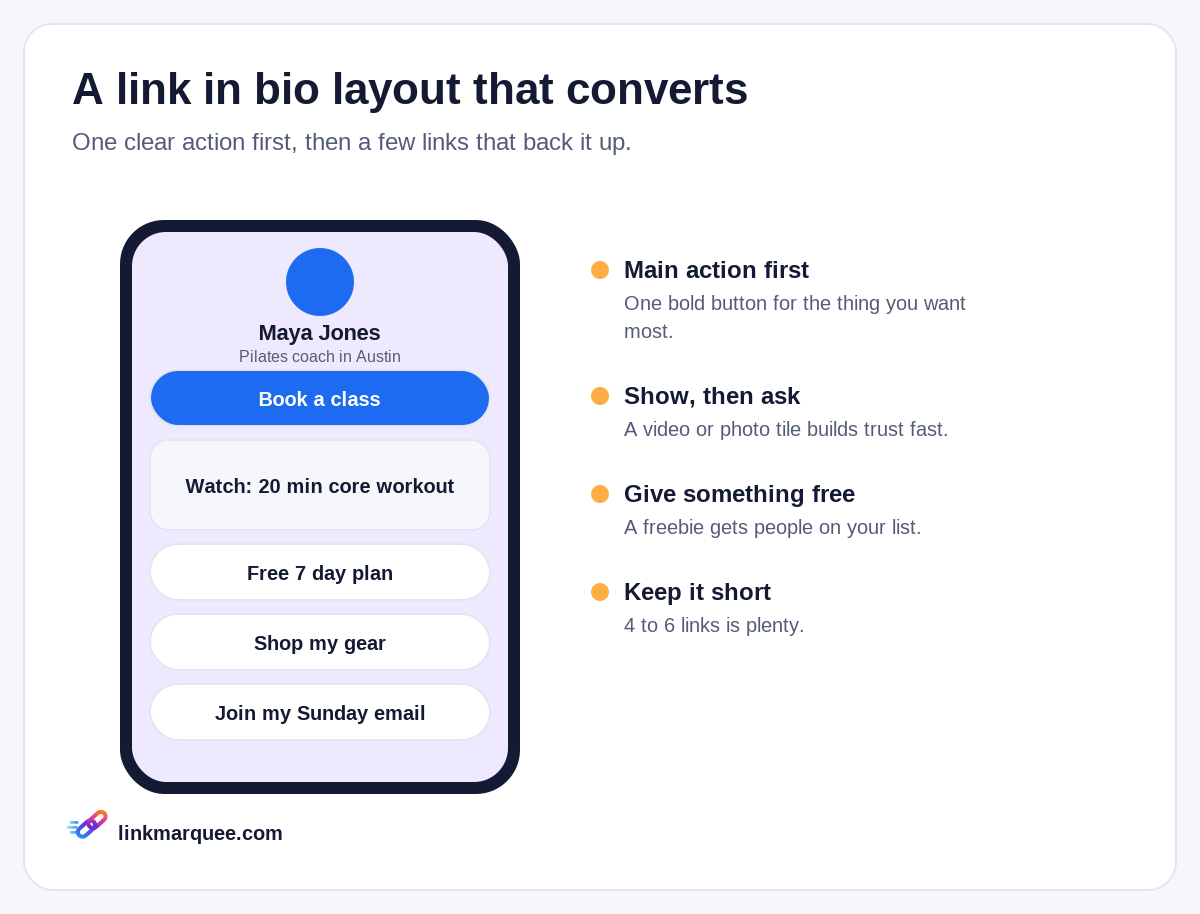
Not sure what to put in your link in bio? Here are 21 ideas for creators and small businesses, plus a simple layout that turns taps into sales and bookings.
 Comparisons
Linktree vs Beacons: which one is better for you?
Linktree vs Beacons, side by side. We compare seller fees, prices, email tools and custom domains, and show a third option that costs less to sell.