How to add a link to your TikTok bio, even under 1,000 followers
Personal TikTok accounts usually need at least 1,000 followers before the Website field shows up. Business accounts can add a link with no follower minimum in most places. To add it, go to your profile, tap Edit profile, tap Website, paste your link and tap Save. The feature is not available in every country.
Key points
- Personal accounts need about 1,000 followers to add a clickable link.
- Business accounts can add a link with no follower minimum in most markets.
- Business accounts have a smaller music library, so check before you switch.
- TikTok shows only one website link, so make it count.
TikTok is a great place to grow fast. But it is picky about links. Many people open Edit profile and find no place to add one.
Here is why that happens, and what you can do about it. TikTok's own help pages change often, so we used guides that were updated in 2026 and noted where things can vary.
TikTok bio link requirements
Most guides agree on these rules:
| Account type | Follower minimum | Can add a bio link? |
|---|---|---|
| Personal | 1,000 followers | Yes, once you reach 1,000 |
| Business | None in most places | Yes |
TikTok also says the link feature is not available in every country. And some business accounts may need to be verified first.
How to add a link to your TikTok bio
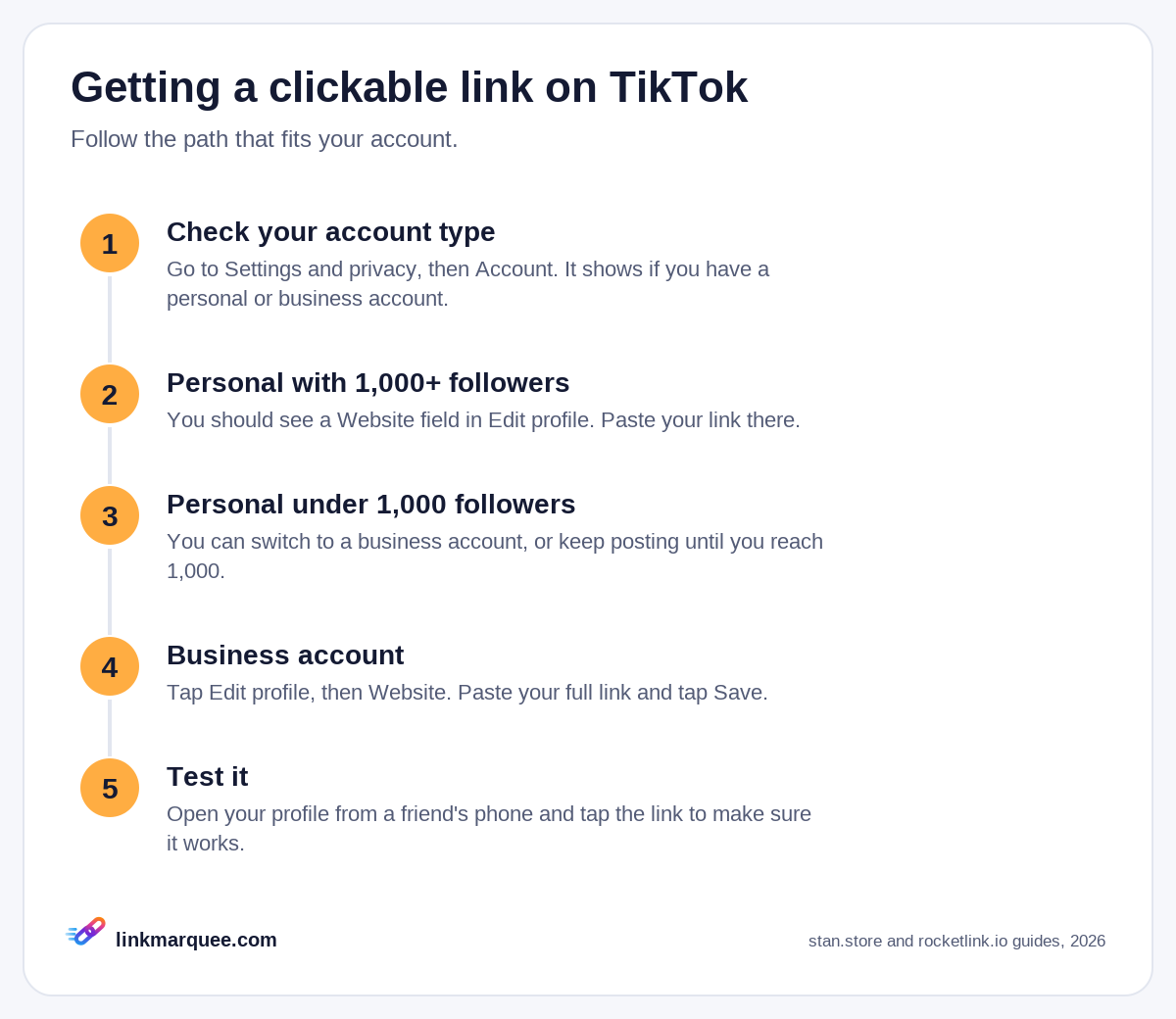
- Open TikTok and tap Profile.
- Tap Edit profile.
- Tap Website (on some phones it says Links).
- Paste your full link, starting with https://.
- Tap Save.
If you do not see a Website field, you probably do not meet the requirements yet.
How to add a link without 1,000 followers
You have two choices.
1. Switch to a business account. Go to Settings and privacy, then Account, then Switch to Business Account. This is free. After you switch, the Website field should show up.
2. Keep growing. Post often, reply to comments and use trends. Once you reach 1,000 followers on a personal account, the Website field appears.
Should you switch to a business account?
Here are the trade-offs:
- Good: you get a bio link right away, plus extra stats and an email button.
- Not so good: business accounts can only use music cleared for business use. Many trending songs are not in that library.
If your videos depend on popular songs, think about it first. If you are a business, switching is usually worth it.
Make your one TikTok link count
TikTok gives you only one website link. So use it for a page that holds everything:
- Your latest video or product.
- A way to buy, book or tip.
- Your other social profiles.
- An email signup, so you can reach fans off TikTok.
TikTok website button not showing?
Try these fixes:
- Update the TikTok app.
- Check your follower count and account type.
- Log out and back in.
- Wait a day after switching to business. It can take time to show up.
Make your link in bio in two minutes
Free forever, with unlimited links, bookings, tips and email signups. No credit card needed.
Claim your linkCommon questions
How many followers do you need to put a link in your TikTok bio?
Personal accounts usually need 1,000 followers. Business accounts can add a link with no follower minimum in most places.
Is a TikTok business account free?
Yes. Switching to a business account is free. The main trade-off is a smaller music library for your videos.
Why can't I add a link to my TikTok bio?
You may have a personal account with under 1,000 followers, or the feature may not be available where you live. Update the app and check your account type.
Can I add more than one link to TikTok?
TikTok gives you one website link. Use a link page so that one link leads to all your other links.
Keep reading
 How-to guides
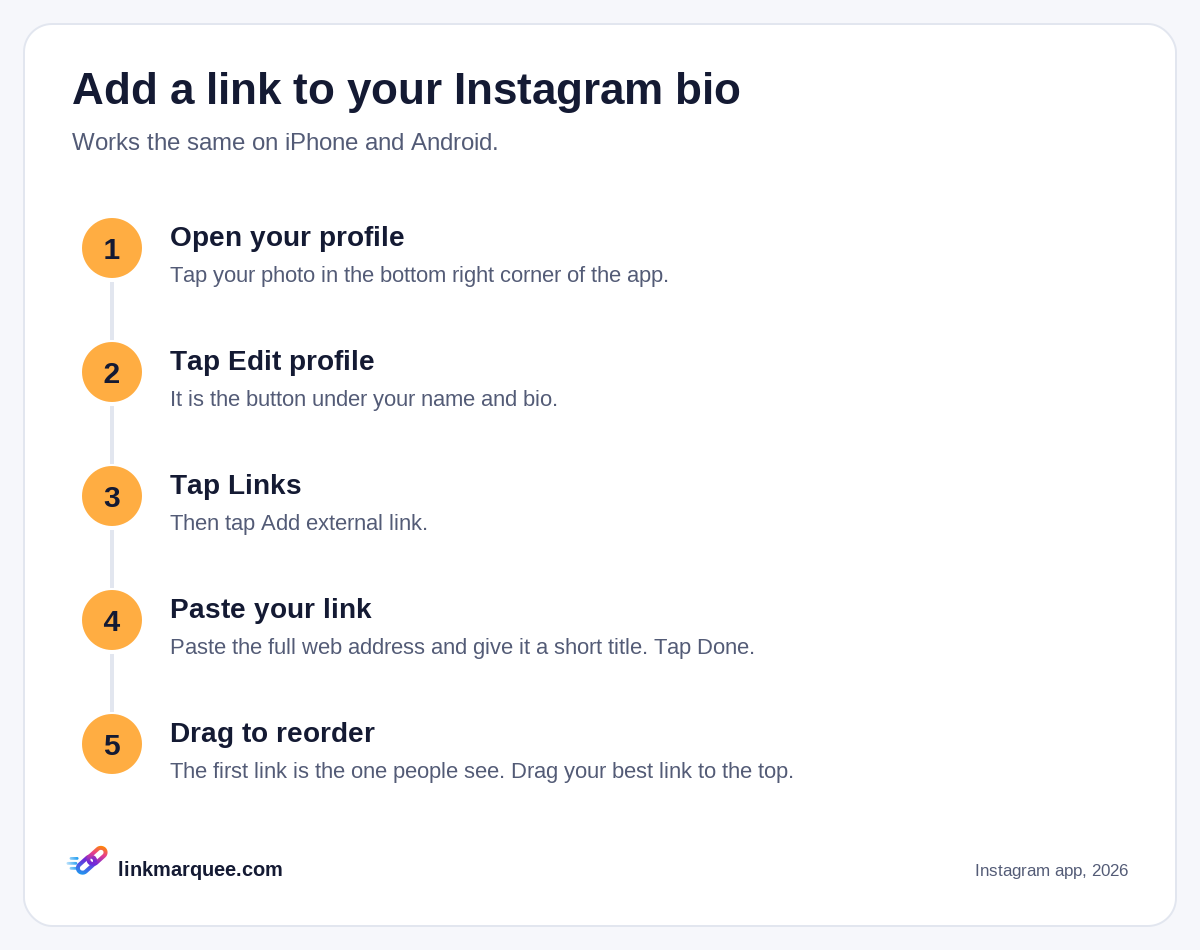
How to add multiple links to your Instagram bio
Instagram lets you add up to 5 links to your bio. Here are the exact steps, why only the first link shows, and how one link page gives you room for everything.
 How-to guides
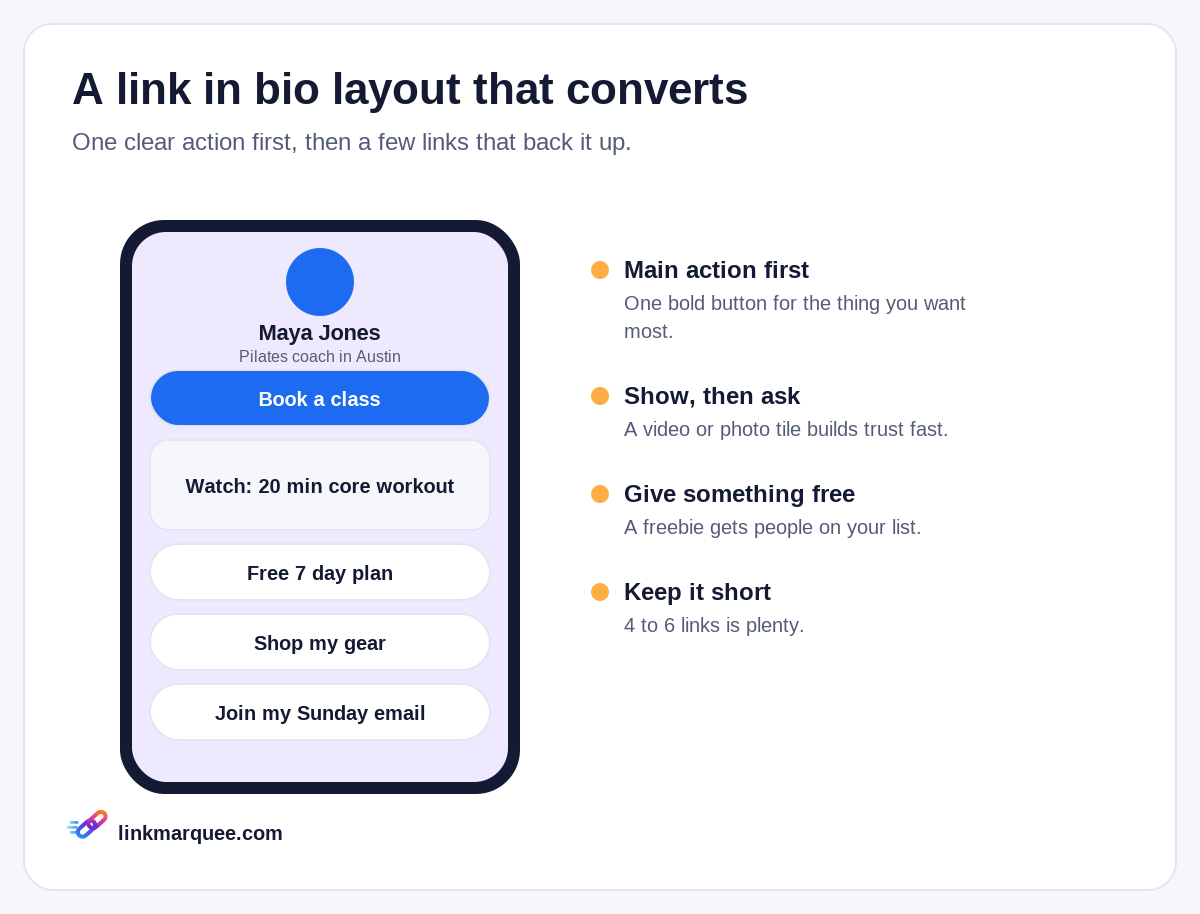
21 link in bio ideas that get more clicks
Not sure what to put in your link in bio? Here are 21 ideas for creators and small businesses, plus a simple layout that turns taps into sales and bookings.
 Guides by niche
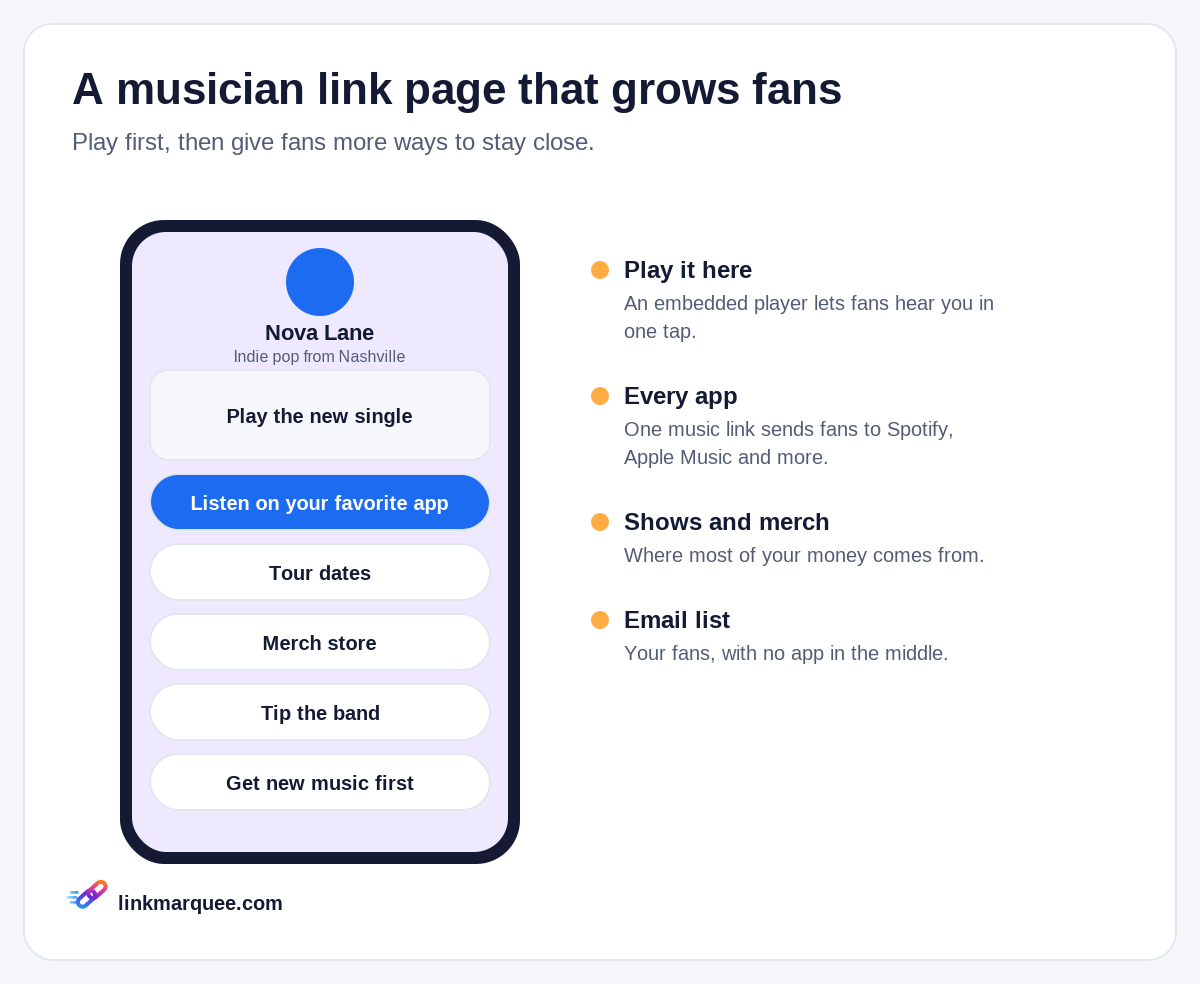
Link in bio for musicians: turn listeners into real fans
Musicians and DJs: set up a link in bio that plays your music, shares one song on every app, sells merch and grows your email list. With a layout you can copy.