How to add a link to your X (Twitter) bio
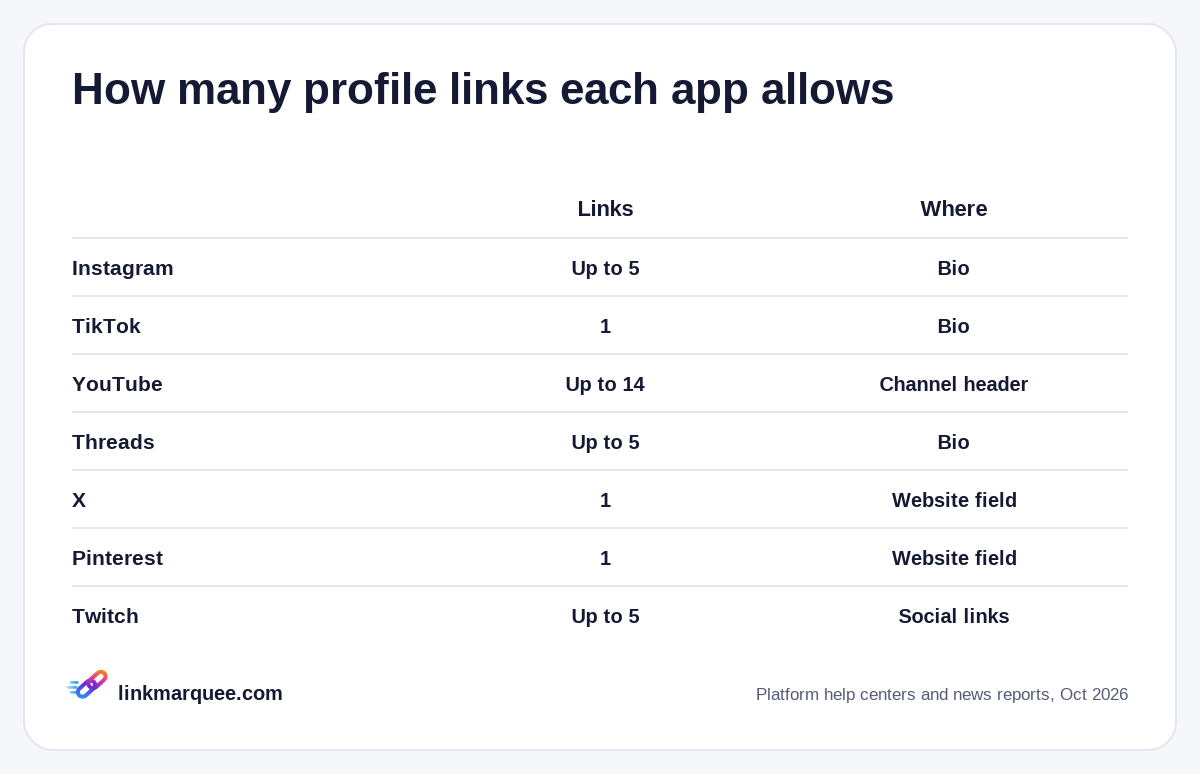
Go to your profile on X, tap Edit profile, paste your link in the Website field and tap Save. It works the same on the web, iPhone and Android. Your bio can be up to 160 characters. Links typed into the bio also work, but they use up some of those characters.
Key points
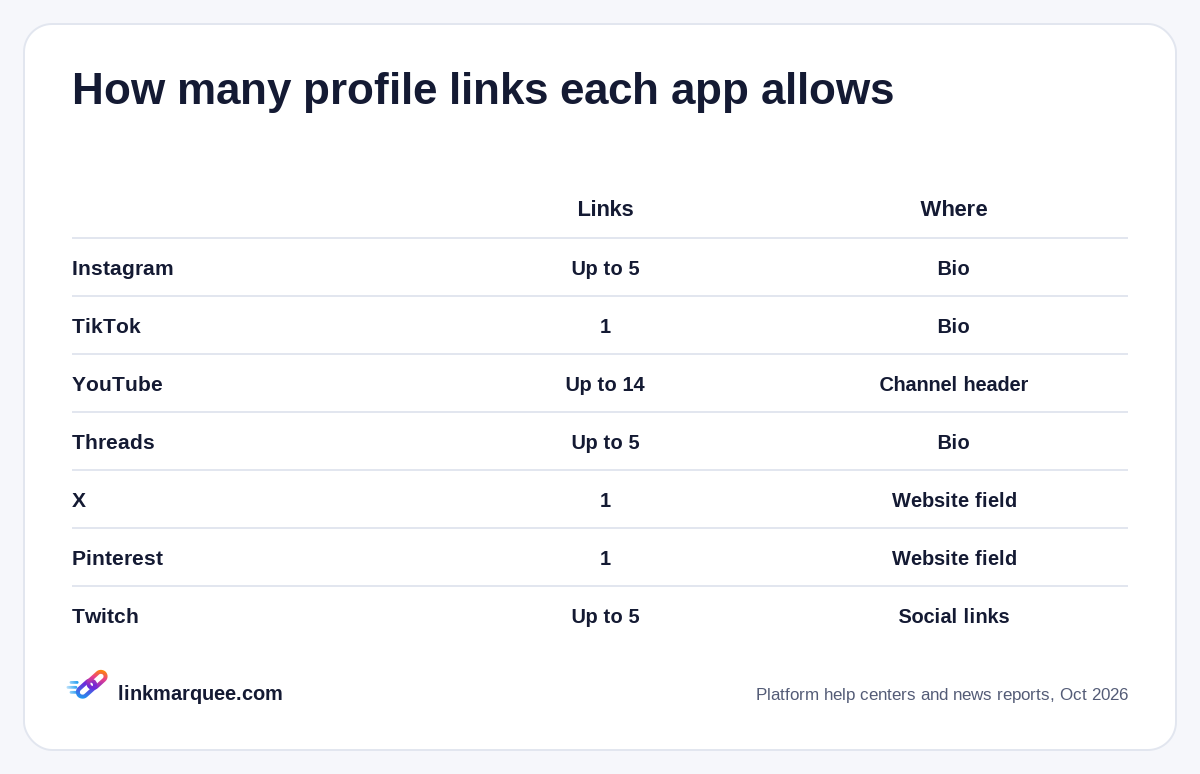
- X has one Website field on your profile.
- Your bio can be up to 160 characters.
- Links in your bio text work but use up characters.
- Use one link page so your one Website link covers everything.
X gives you one clean spot for a link: the Website field under your bio. Here is how to add it.
How to add a link to your X profile
- Go to your profile.
- Tap Edit profile.
- Paste your link in the Website field.
- Tap Save.
The steps are the same on the web, iPhone and Android.
Can you put more links in your X bio?
Yes, but carefully. Links you type into your bio become clickable, but they count toward the 160 character limit. That leaves little room for your actual bio.
How to make your one link do more
Use a link page in your Website field. It can hold your newest post, your newsletter, your shop and your other socials. When something changes, you update the page, not your profile.
Bio tips for X
- Say what you post about in a few words.
- Add a reason to tap your link, like "Free guide below."
- Keep a little room for a location or a short credential.
Need help writing it? Try our free bio ideas tool. The ideas work on X too.
Make one link that holds everything
Free forever, with unlimited links, videos, tips, bookings and email signups. Put it in every profile.
Claim your linkCommon questions
How many links can I add to my X profile?
There is one Website field. You can also type links into your bio, but they count toward the 160 character limit.
How long can an X bio be?
Up to 160 characters.
Do I need X Premium to add a link?
No requirement for this was found. The Website field is part of every profile.
Keep reading
 How-to guides
How to add links to your Threads bio
Threads now lets you add up to 5 links to your profile and see how many people tap them. Here is how to add them and what to link.
 How-to guides
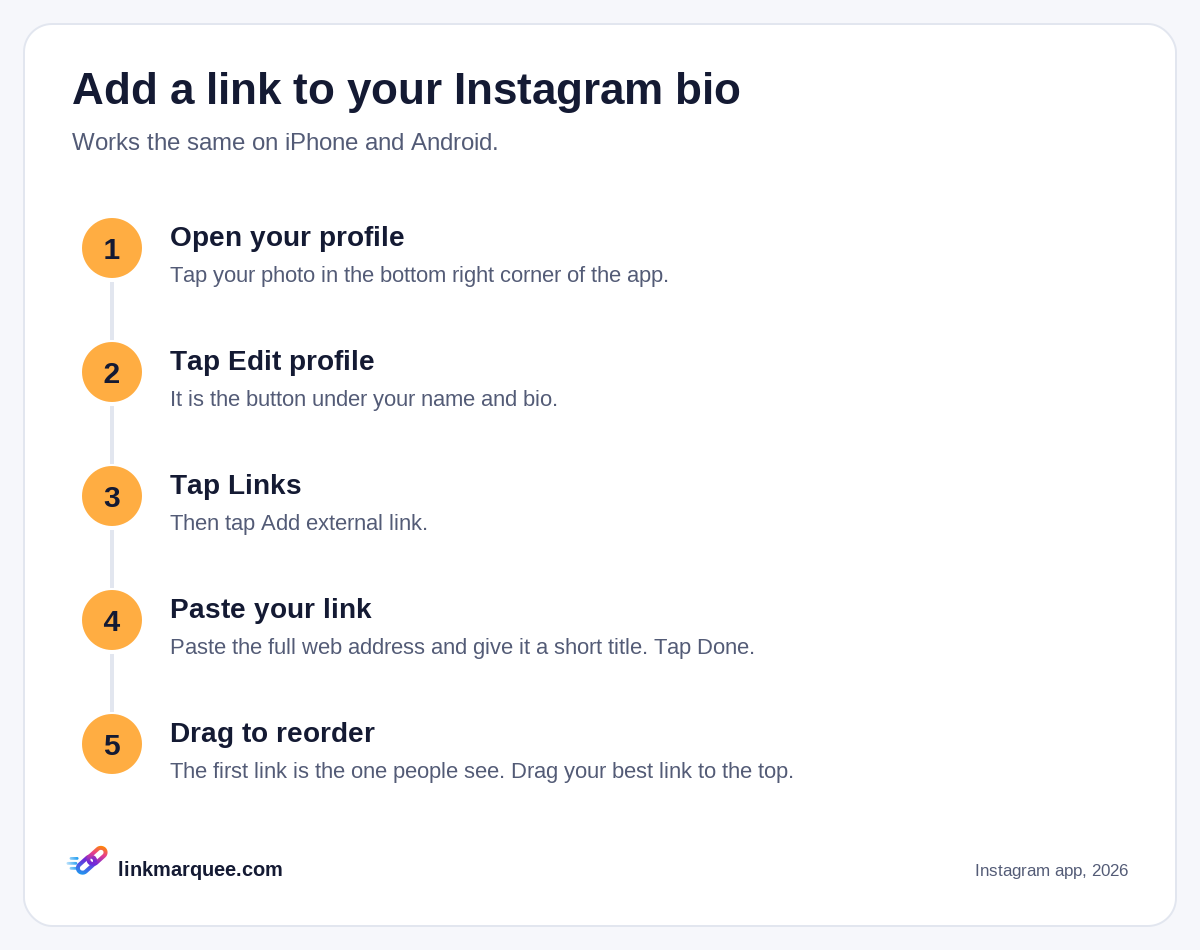
How to add multiple links to your Instagram bio
Instagram lets you add up to 5 links to your bio. Here are the exact steps, why only the first link shows, and how one link page gives you room for everything.
 How-to guides
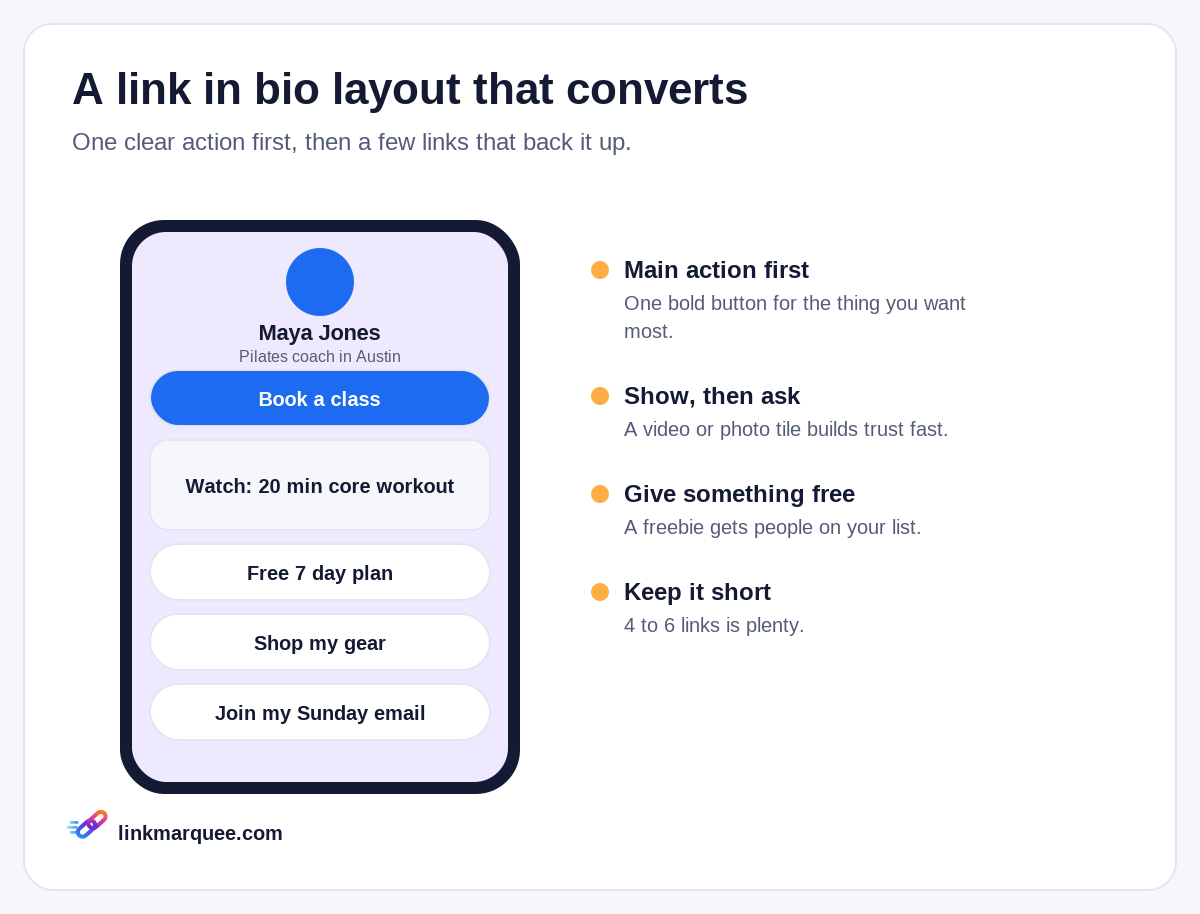
21 link in bio ideas that get more clicks
Not sure what to put in your link in bio? Here are 21 ideas for creators and small businesses, plus a simple layout that turns taps into sales and bookings.