How to add links to your Threads bio
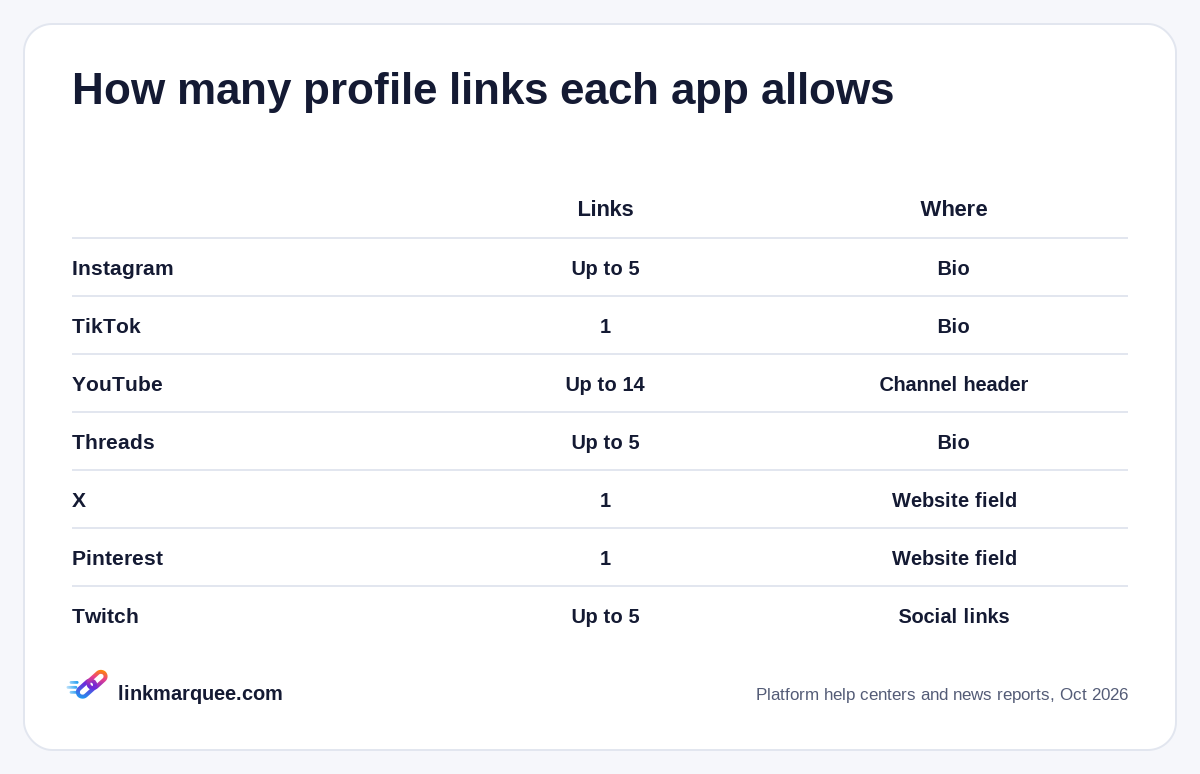
Open Threads, go to your profile and tap Edit profile, tap the Link field, paste your web address and tap the check mark, then Done. Since May 2025, Threads lets you add up to 5 links to your profile and shows link taps in your Insights.
Key points
- Threads allows up to 5 profile links, since May 2025.
- You can see how many people tap your links in Insights.
- Put your most important link first.
- Use the same link page on Threads and Instagram to keep things simple.
Threads used to allow only one link on your profile. In May 2025 it started letting creators add up to 5, and it added tap counts to Insights so you can see what works.
How to add links to your Threads profile
- Open the Threads app and go to your profile.
- Tap Edit profile.
- Tap the Link field.
- Paste the full web address.
- Tap the check mark at the top, then tap Done.
To add more than one, tap the Link field again and add the next one, up to 5.
How many links can you add on Threads?
Up to 5. That matches Instagram, which also allows up to 5 links in your bio.
What to link on Threads
People on Threads come for conversation. So link to things that keep the talk going:
- Your newsletter or email list
- Your newest blog post, video or podcast
- Your Instagram, since many Threads users already have it
- One link page that holds everything else
Check what people tap
Threads shows link taps in your Insights. Check them after a week. If a link gets almost no taps, swap it for something more useful.
Make one link that holds everything
Free forever, with unlimited links, videos, tips, bookings and email signups. Put it in every profile.
Claim your linkCommon questions
How many links can I put in my Threads bio?
Up to 5. Threads added this in May 2025.
Can I see who taps my Threads links?
You can see how many taps each link gets in Insights, but not who tapped.
Do Threads and Instagram share the same links?
They are set separately, so add your links on each app.
Keep reading
 How-to guides
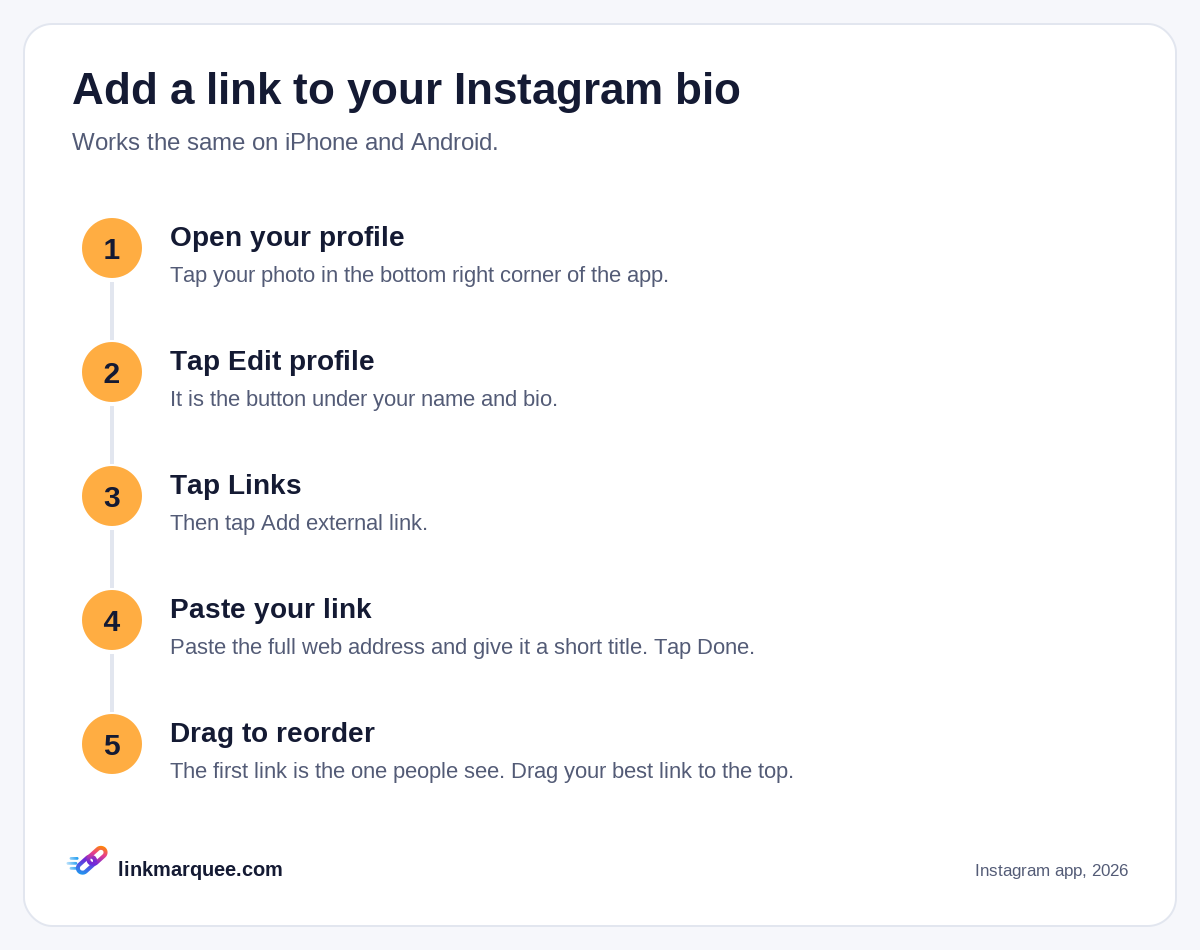
How to add multiple links to your Instagram bio
Instagram lets you add up to 5 links to your bio. Here are the exact steps, why only the first link shows, and how one link page gives you room for everything.
 How-to guides
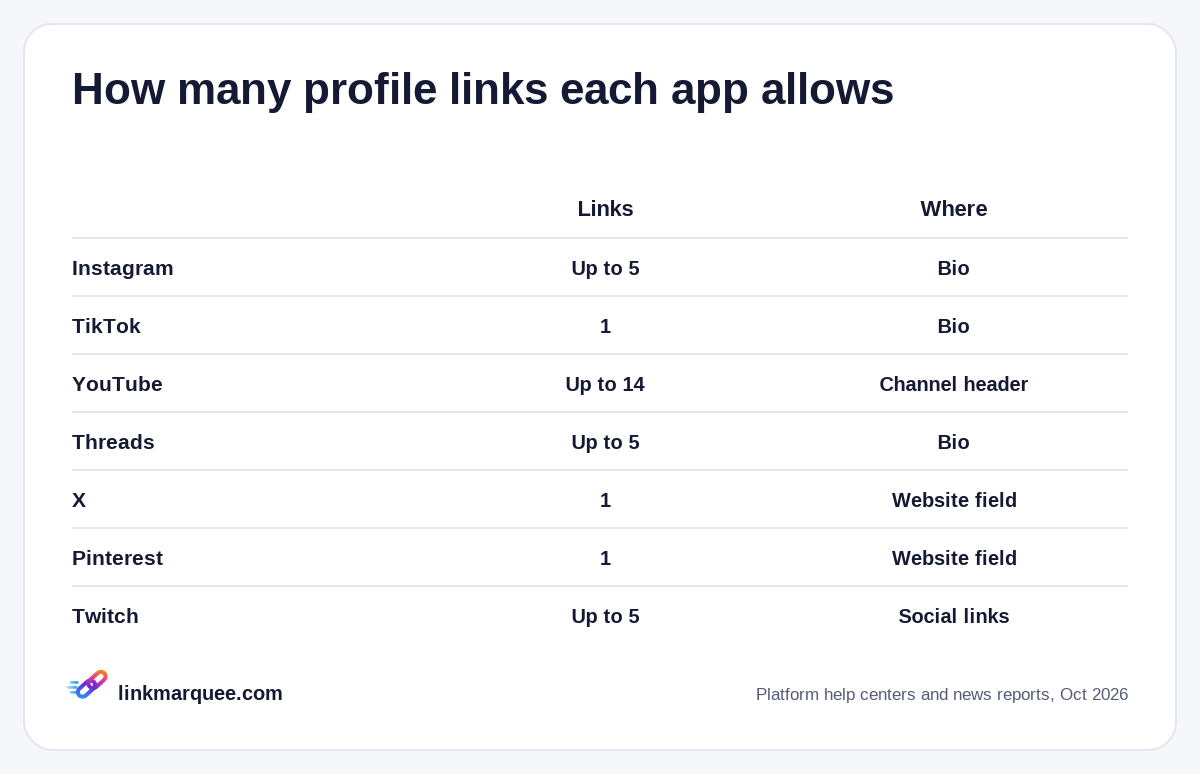
How to add a link to your X (Twitter) bio
X gives you one Website field and a 160 character bio. Here is how to add your link, and how to make one link do more.
 How-to guides
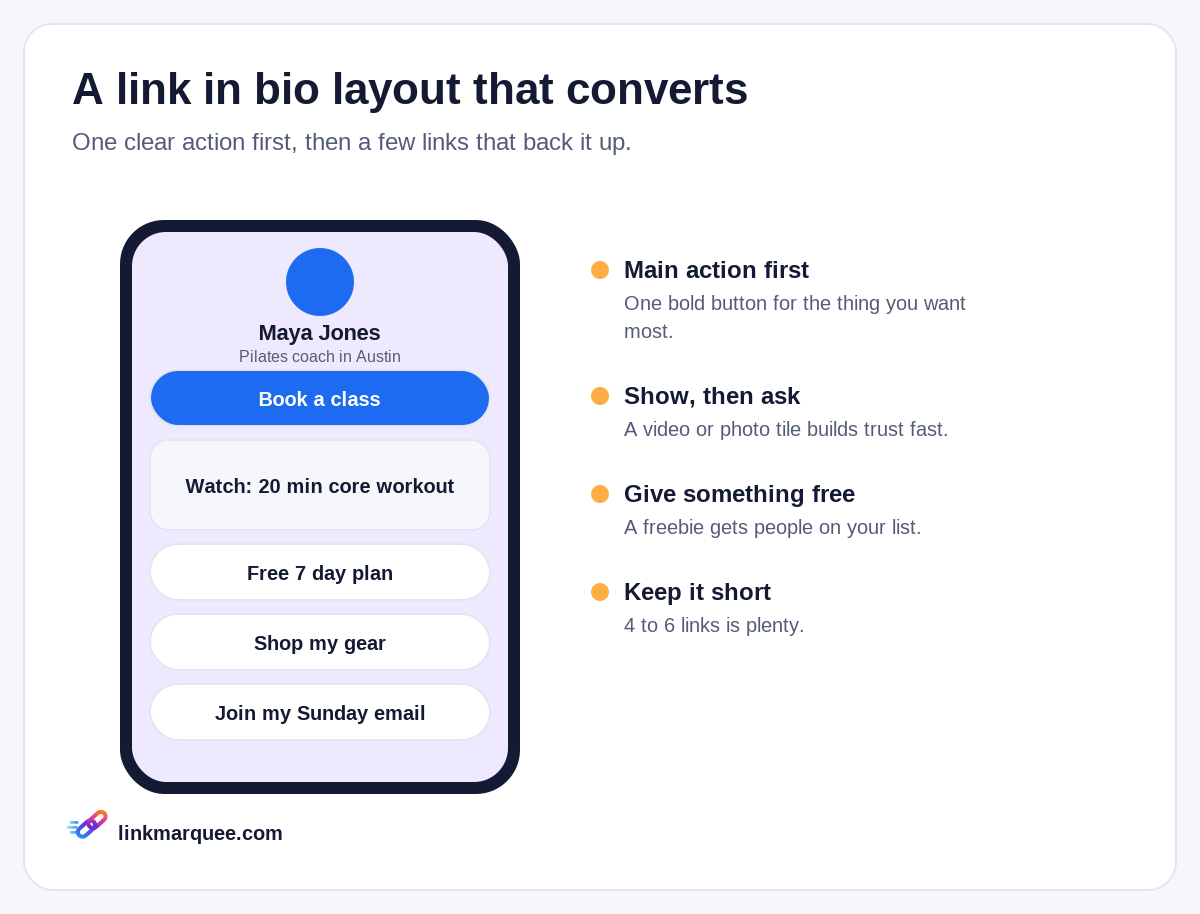
21 link in bio ideas that get more clicks
Not sure what to put in your link in bio? Here are 21 ideas for creators and small businesses, plus a simple layout that turns taps into sales and bookings.