How to add links to your YouTube channel
On a computer, open YouTube Studio, go to Customization, then Profile, and click Add link under Links. On a phone, open the YouTube Studio app, tap your picture, tap Edit next to your description, then Edit under Links and Add. You can add up to 14 links. The first one shows on your channel, and the rest show when people tap for more.
Key points
- You can add up to 14 links to your YouTube channel.
- Only the first link shows next to your channel name.
- Put your most important link first, like a link page that holds everything.
- Links must follow YouTube's external links policy.
YouTube lets you add links to your channel so viewers can find your shop, your website or your other socials. Here is how to add them, and how to make sure the right one gets seen.
How to add links on a computer
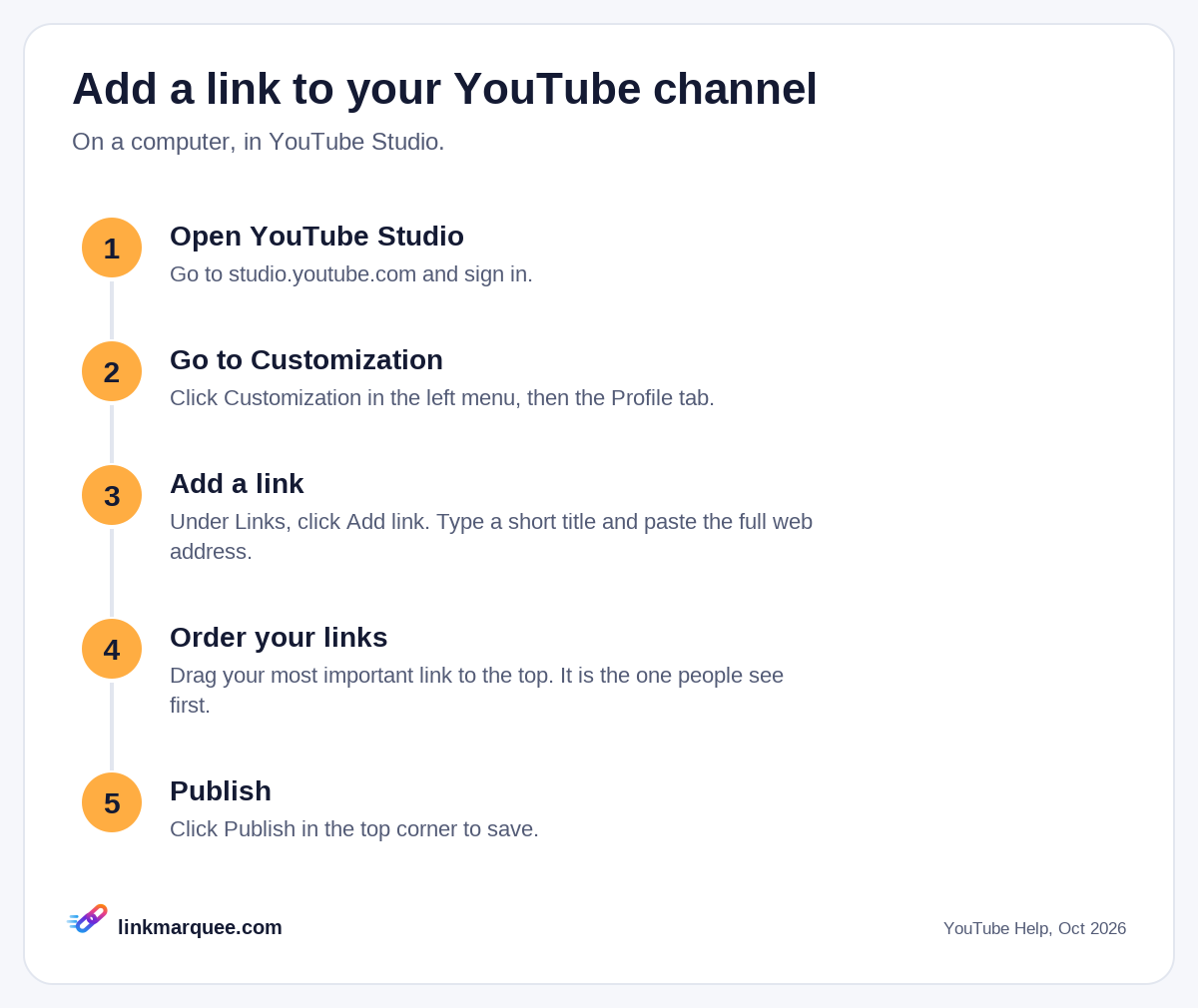
- Go to YouTube Studio and sign in.
- Click Customization, then Profile.
- Under Links, click Add link.
- Type a title and paste the full web address.
- Click Publish.
How to add links on your phone
- Open the YouTube Studio app.
- Tap your profile picture in the top corner.
- Tap Edit next to your channel description.
- Under Links, tap Edit, then Add.
- Enter a title and the web address, tap Done, then Save.
How many links can you add to YouTube?
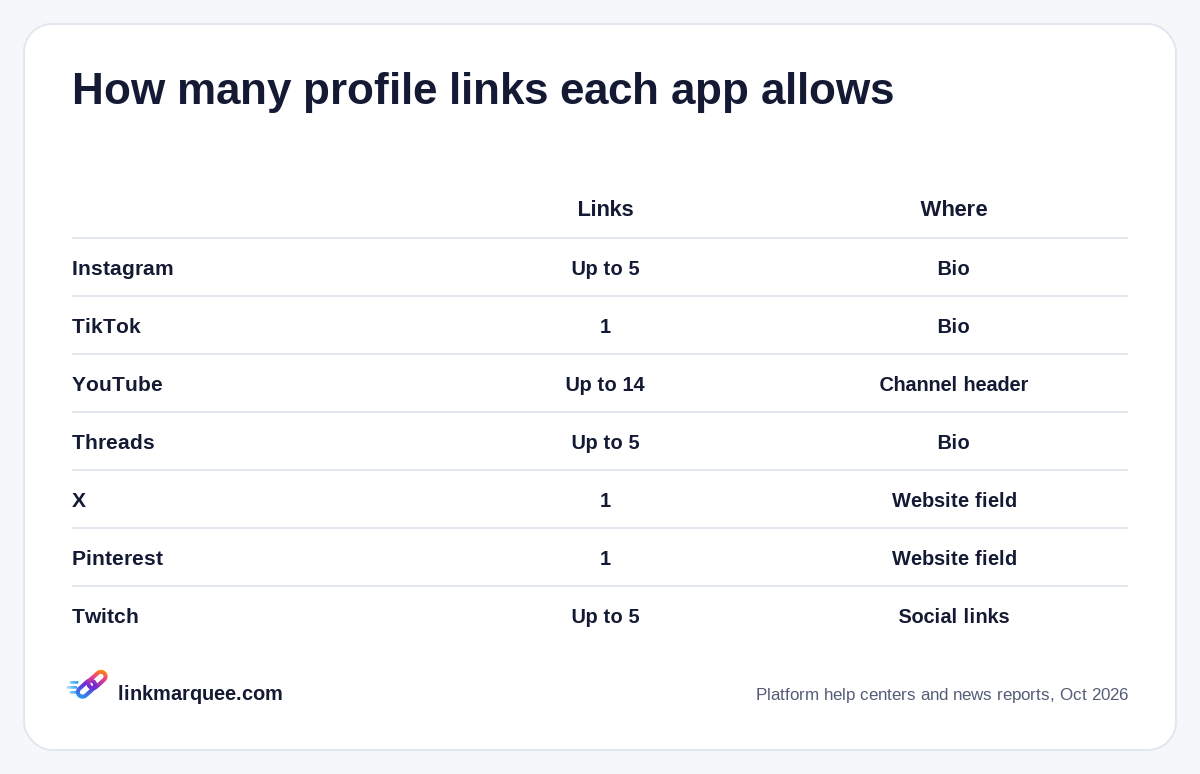
Up to 14. The first link shows on your channel next to your name. The others appear when someone taps to see more. YouTube's help page says links must follow its external links policy.
Which link should go first?
Most people only see the first link. So make it count. A good choice is one link page that holds your newest video, your shop, your sponsors and your email list. Then you never have to choose.
You can also add links in each video description and in pinned comments. Those are great for links that match one video.
Make one link that holds everything
Free forever, with unlimited links, videos, tips, bookings and email signups. Put it in every profile.
Claim your linkCommon questions
How many links can I put on my YouTube channel?
Up to 14. The first one shows on your channel and the rest show when viewers tap for more.
Can I add channel links from my phone?
Yes, in the YouTube Studio app. Tap your picture, tap Edit next to your description, then Edit under Links.
Why is my YouTube link not showing?
Only the first link shows on your channel. Drag your most important link to the top and publish again.
Keep reading
 How-to guides
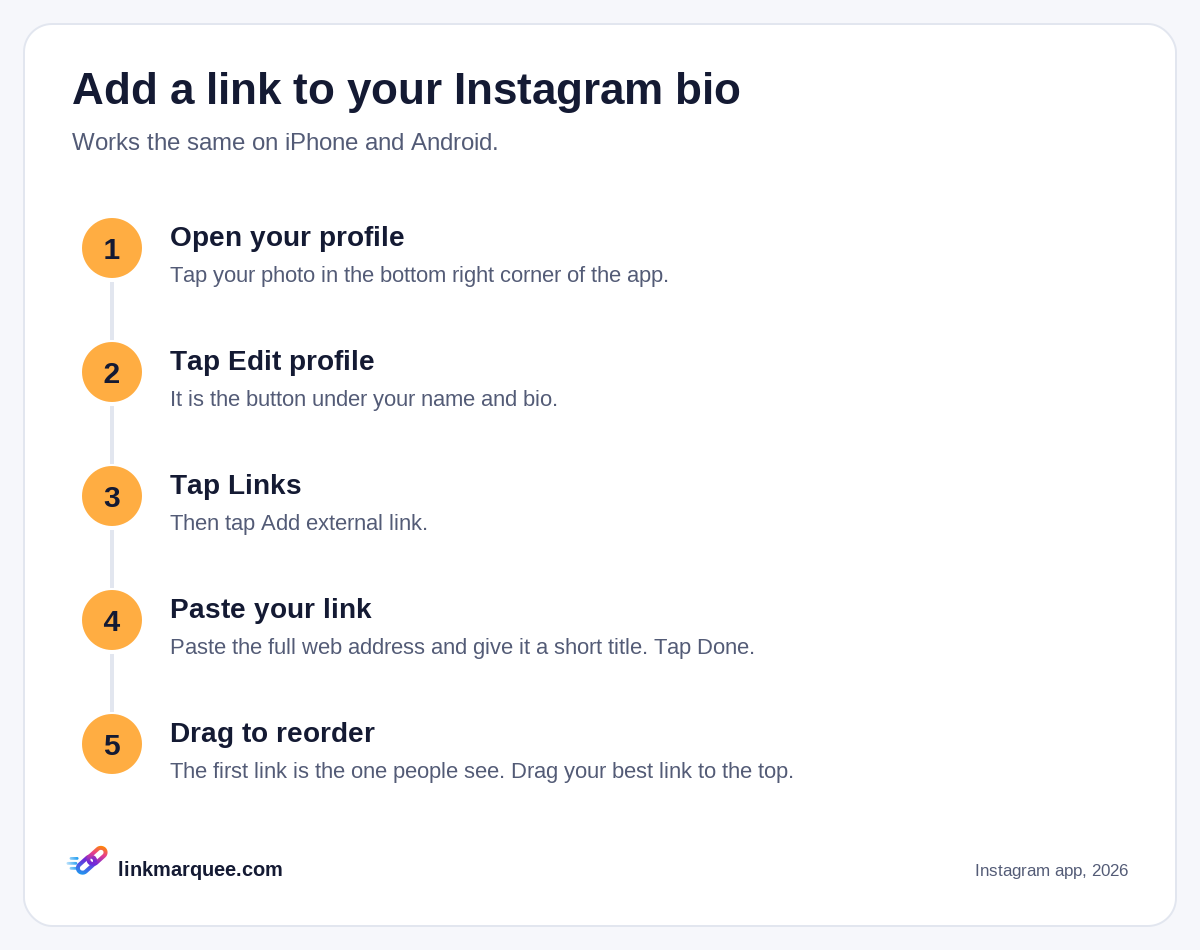
How to add multiple links to your Instagram bio
Instagram lets you add up to 5 links to your bio. Here are the exact steps, why only the first link shows, and how one link page gives you room for everything.
 How-to guides
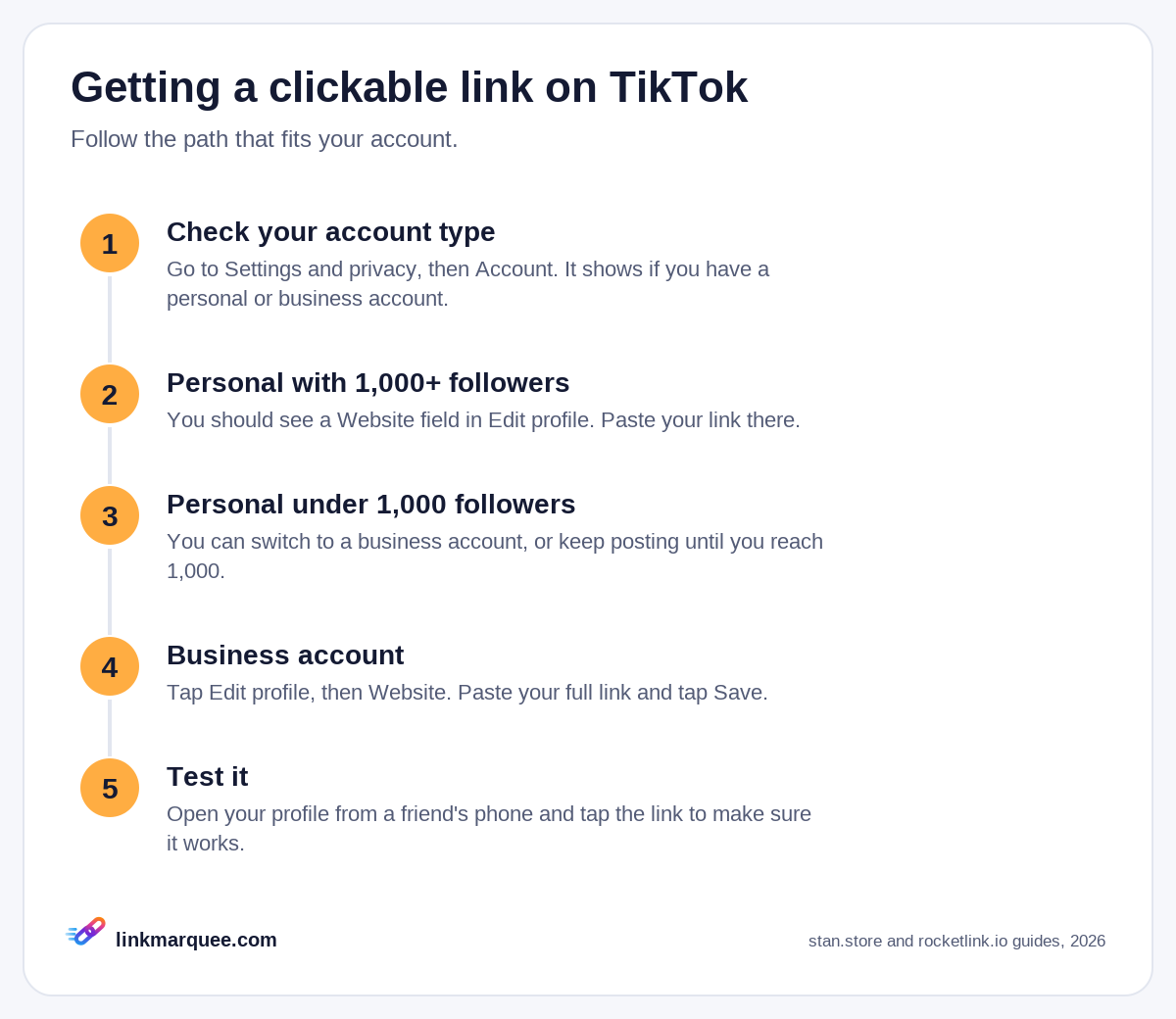
How to add a link to your TikTok bio, even under 1,000 followers
Personal TikTok accounts need 1,000 followers for a bio link. Business accounts do not. Here are the requirements, the steps, and the trade-offs of switching.
 How-to guides
21 link in bio ideas that get more clicks
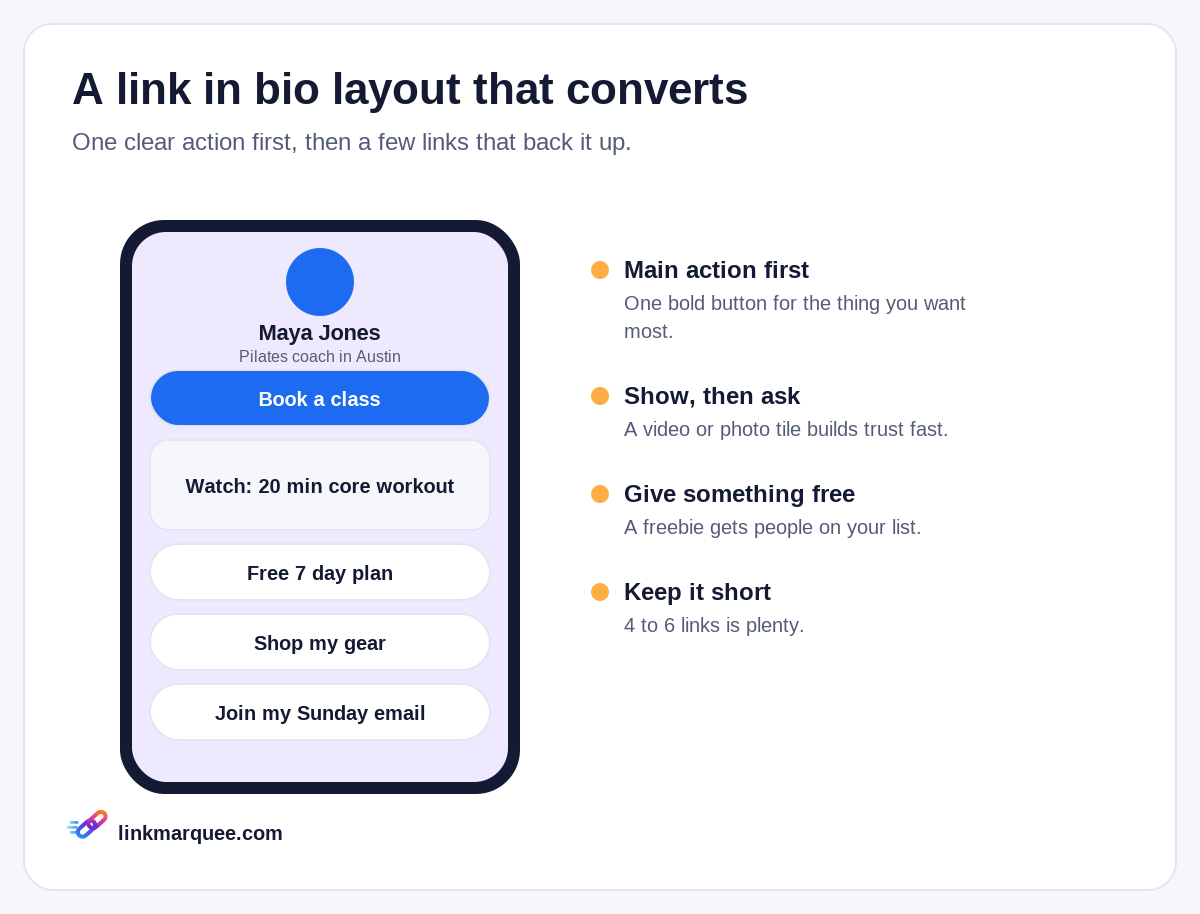
Not sure what to put in your link in bio? Here are 21 ideas for creators and small businesses, plus a simple layout that turns taps into sales and bookings.