How to add a website link to your LinkedIn profile
Open your LinkedIn profile, click Contact info, then the pencil, and click Add website. LinkedIn's help page says up to 3, but an August 2026 report says the limit is now 10. You can also pin links in your Featured section. In May 2025, LinkedIn stopped letting most members add new custom website buttons, but Premium Business, Sales Navigator and Recruiter customers keep them.
Key points
- Your Contact info section holds your websites.
- The old limit was 3 websites. Recent reports say it is now 10.
- The Featured section lets you pin links near the top of your profile.
- Since May 2025, only some paid members can add custom profile buttons.
LinkedIn is where clients and employers check you out. A good link sends them to your work, your booking page or your portfolio.
How to add a website in Contact info
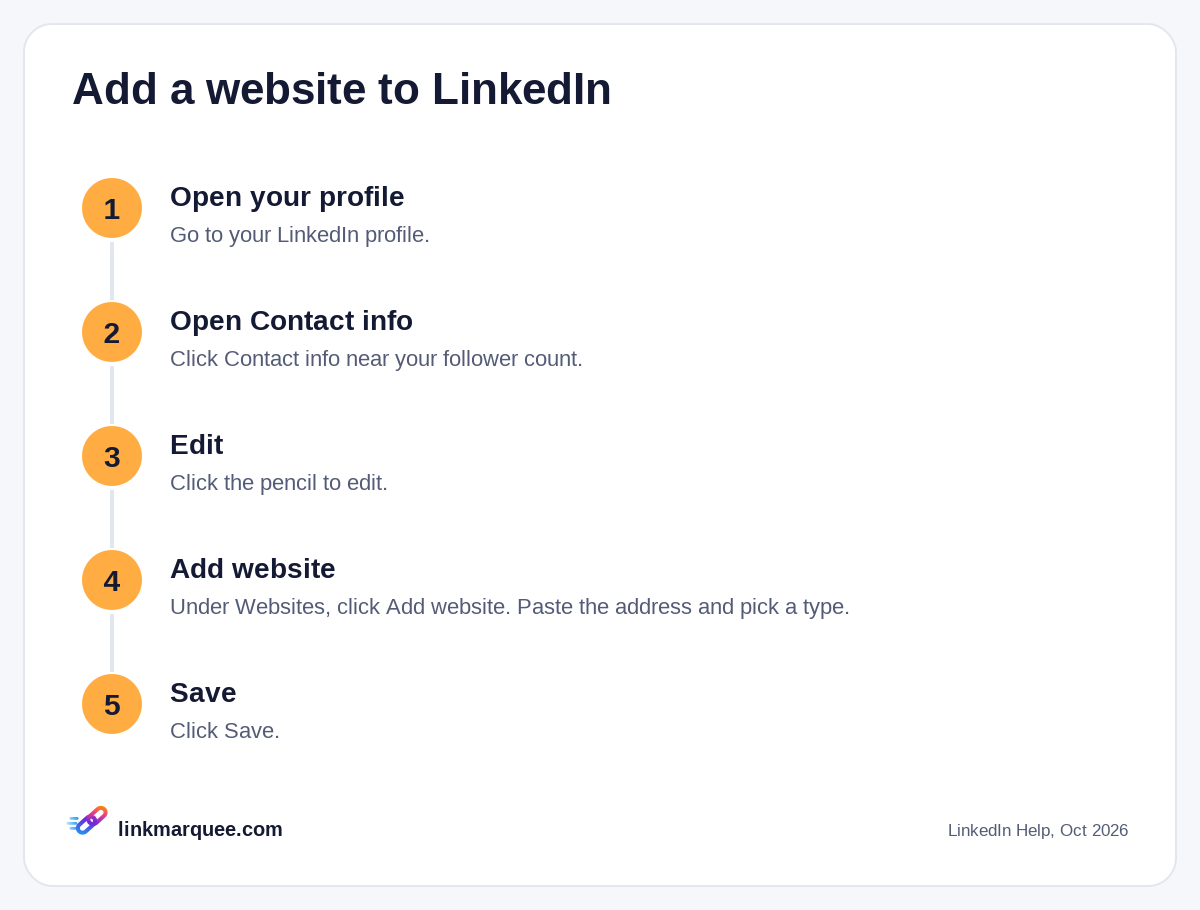
Each website gets a type like Personal, Company, Portfolio or Blog. LinkedIn's help page says you can add up to 3, but that page has not been updated in two years. An August 2026 report says LinkedIn quietly raised the limit to 10. Keep clicking Add website and you will see your limit.
Use the Featured section for links people see
Contact info is a click away, so many people miss it. The Featured section sits higher on your profile. You can pin links, posts and media there, like a case study, a booking page or your newest article.
What happened to the custom button?
LinkedIn used to let members add a custom button, like "Visit my website," at the top of their profile. In May 2025, LinkedIn stopped letting most members add new ones. Existing buttons stayed, but could not be changed. LinkedIn later said Premium Business, Sales Navigator and Recruiter customers keep custom buttons.
Which link should you add?
If people hire you, link to one page with your services, your best work and a way to book a call. A link page works well here because you can update it without touching your profile.
Make one link for your work and bookings
Show your services, best work and a booking button on one page. Free forever.
Claim your linkCommon questions
How many websites can I add to LinkedIn?
LinkedIn's help page says 3, but an August 2026 report says the limit is now 10.
Why can I not add a custom button to my LinkedIn profile?
In May 2025 LinkedIn stopped letting most members add new custom buttons. Premium Business, Sales Navigator and Recruiter customers keep them.
What is the LinkedIn Featured section?
A section near the top of your profile where you can pin links, posts and media.
Keep reading
 Guides by niche
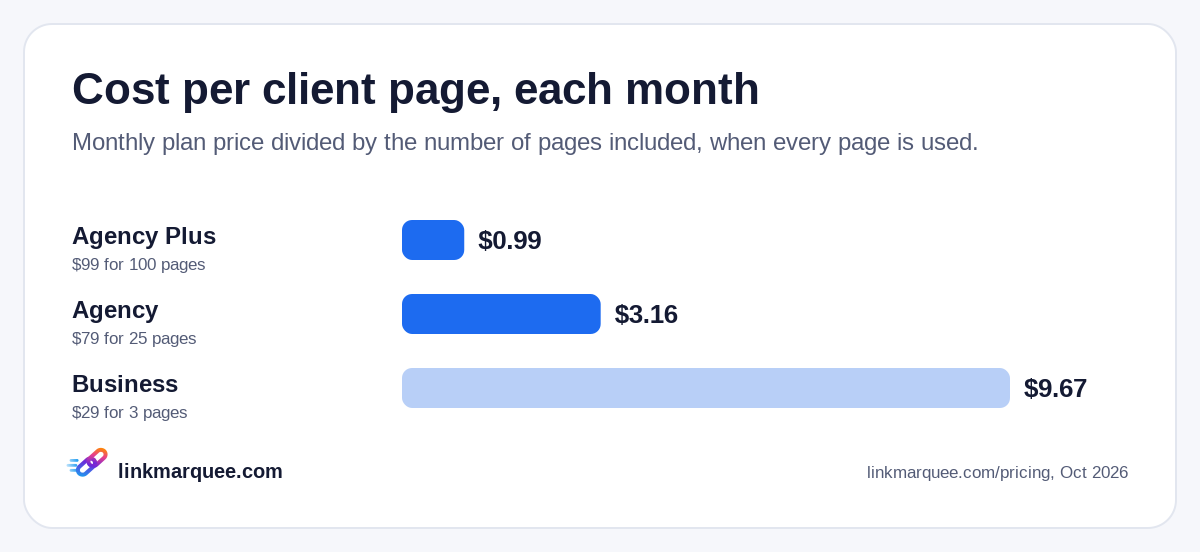
How marketing agencies manage link in bio pages for every client
Run link in bio pages for every client from one account. Team roles, client domains, monthly reports and GoHighLevel leads, plus the cost per client.
 Guides by niche
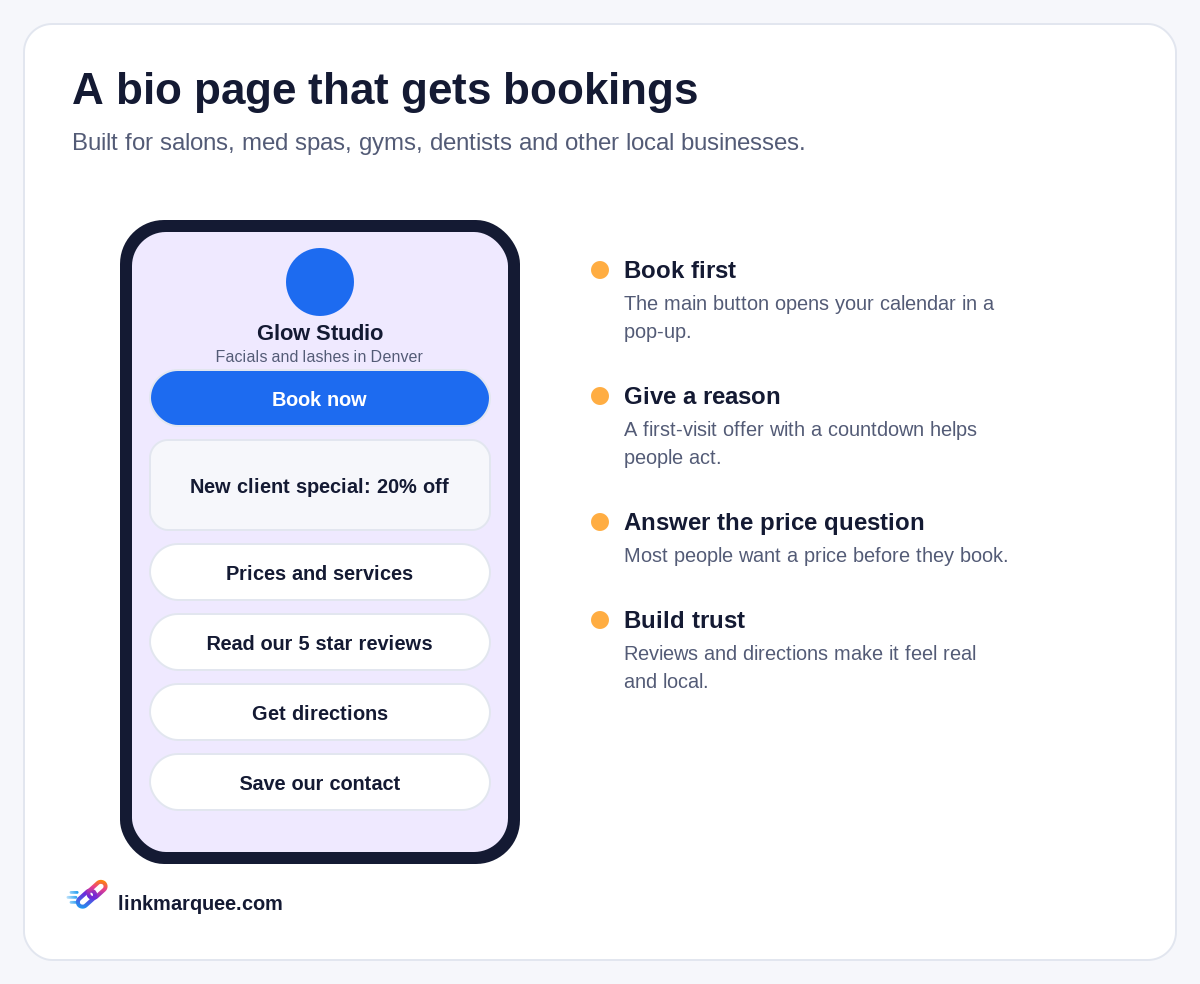
How to add a "Book now" button to Instagram for your business
Salons, med spas, gyms and other local businesses: here are two ways to let people book from Instagram, and a simple page layout that fills your calendar.
 How-to guides
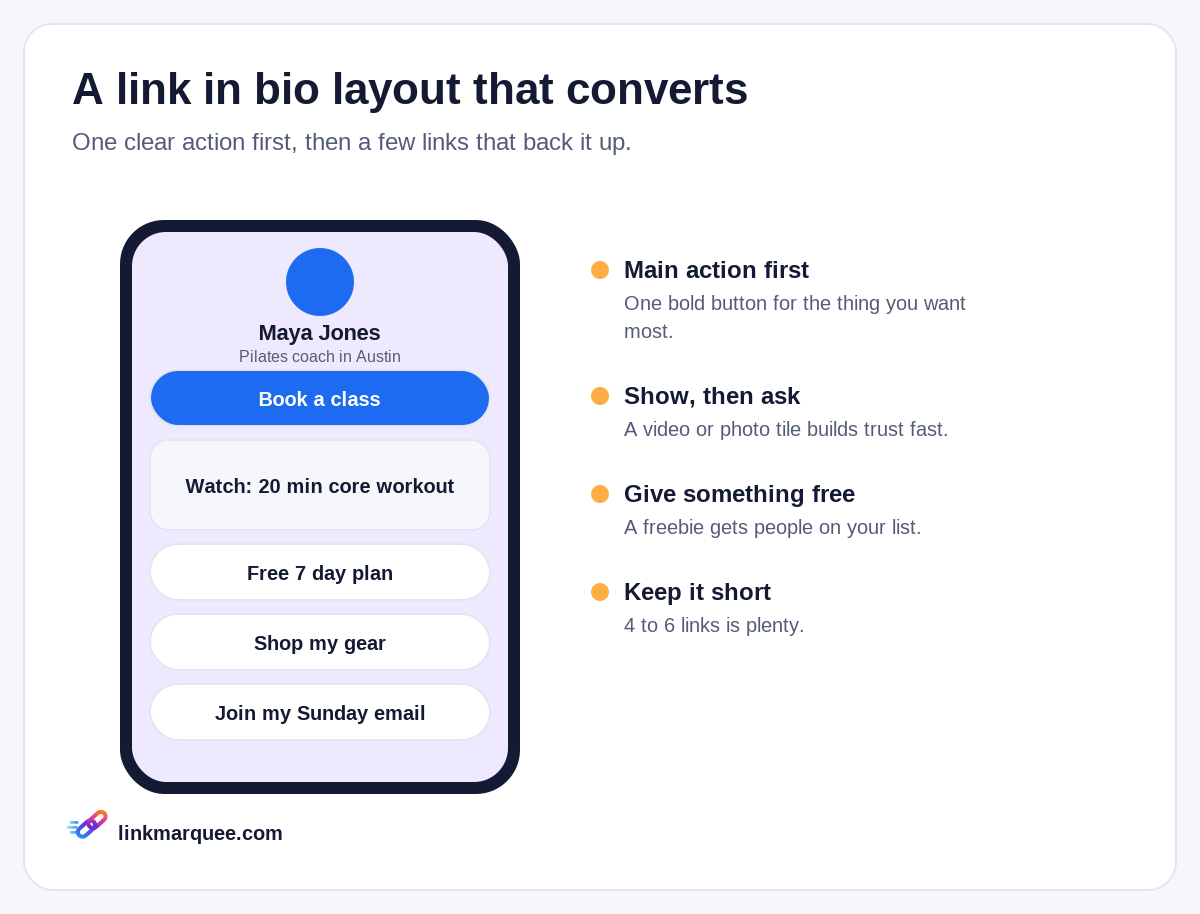
21 link in bio ideas that get more clicks
Not sure what to put in your link in bio? Here are 21 ideas for creators and small businesses, plus a simple layout that turns taps into sales and bookings.